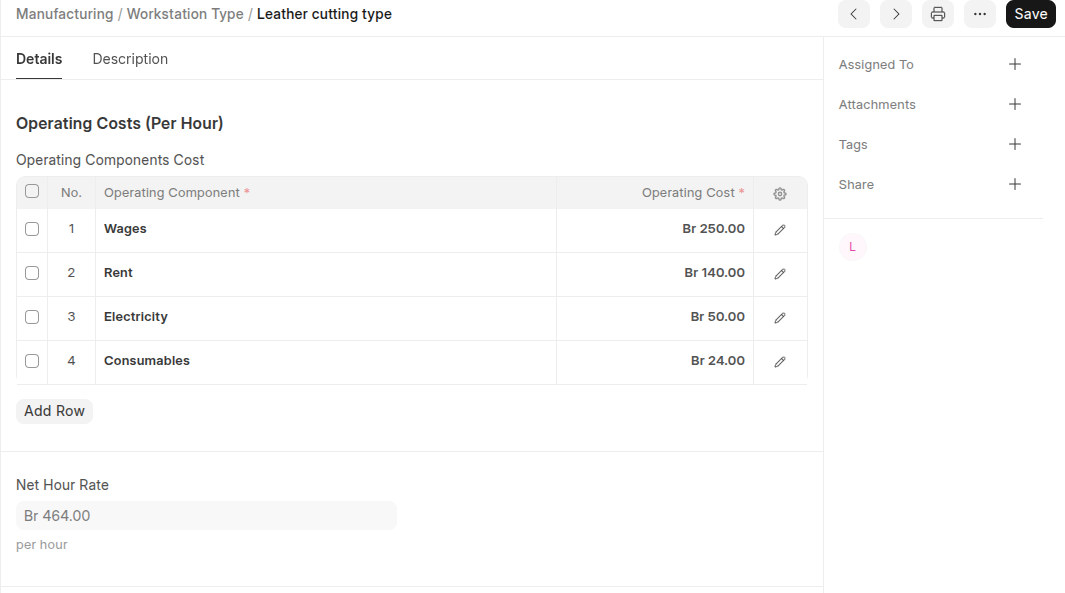
If you have multiple Workstations of the same type, you can automatically assign jobs to an available Workstation based on the Workstation Type. You can also set operation costs here for that workstation type.
After adding a Workstation Type, assign it to the respective Workstations.
To Access:
Login to ERP > Desktop > Manufacturing > Workstation Type
Create Workstation Type
- Go to Workstation Type
- Click Add Workstation Type
- Set Workstation Type Name
- Under Operating Costs click Add row then select all Operating Components and enter thier costs per hour.
- Click Save
Last updated 6 months ago
Was this helpful?