Customer Group is an aggregation of customers that are similar in some way.
To Access: Login to ERP > Desktop > Selling > Customer Group
Create Customer Group
- Go to Customer Group
- Select a Customer node under which you wish to create the Customer Group.
- Select Add Child or click on the New button.
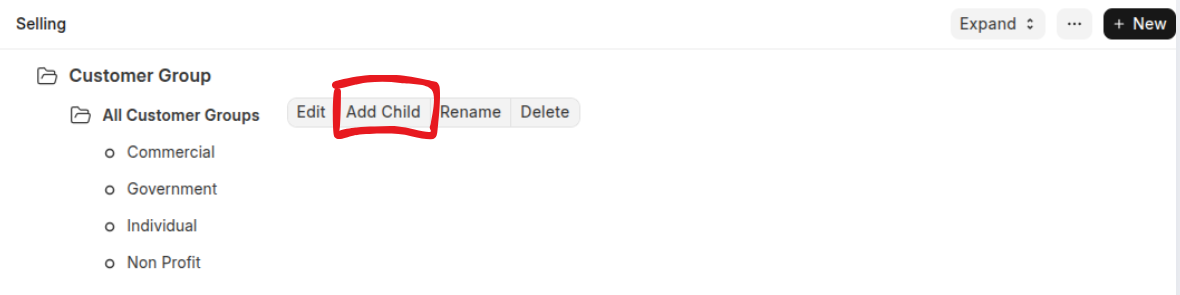
- To make this child a category group, tick on Group.
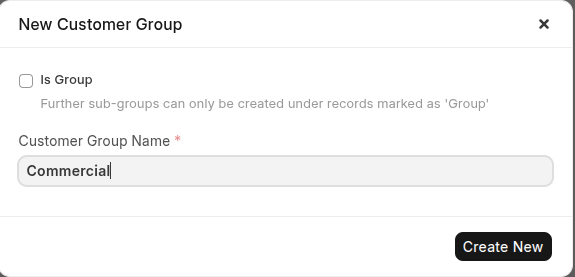
- Click Create New
Edit Customer Group
You can update the detail of the customer group using below steps:
- Go to Customer Group
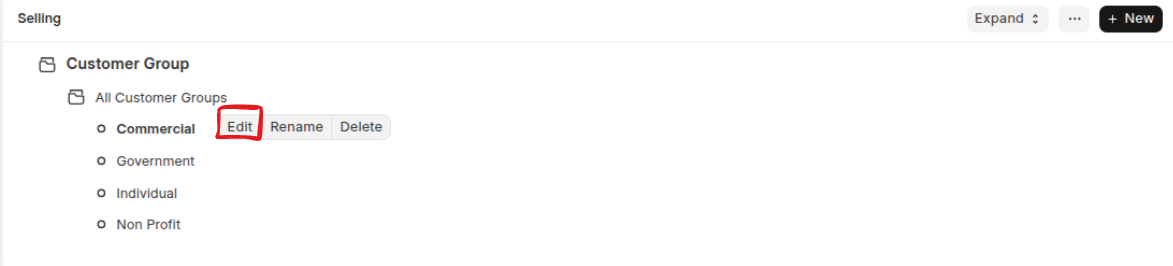
- Click a customer group which you want to update the details
- Click Edit
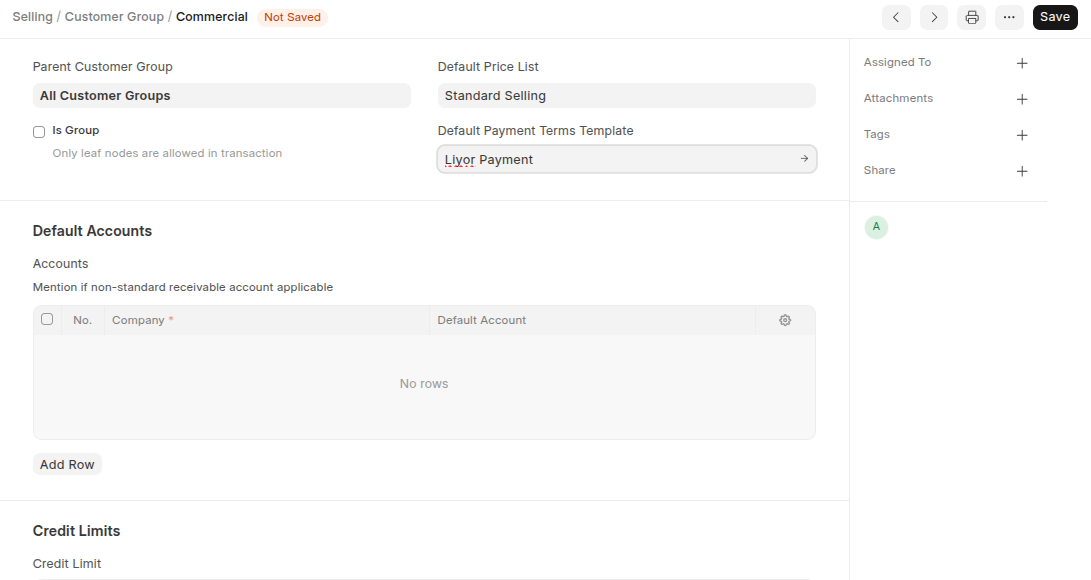
- Update the details
- Click Save
Rename Customer Group
You can change the name of the customer group using below steps:
- Go to Customer Group
- Click a customer group which you want to update the name of the custoemr group
- Click rename
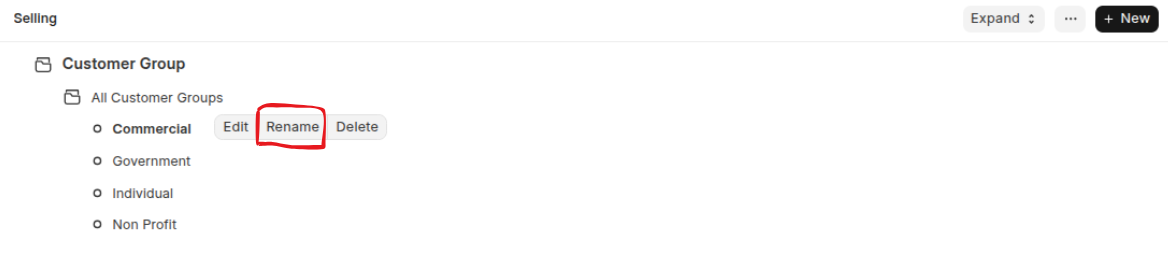
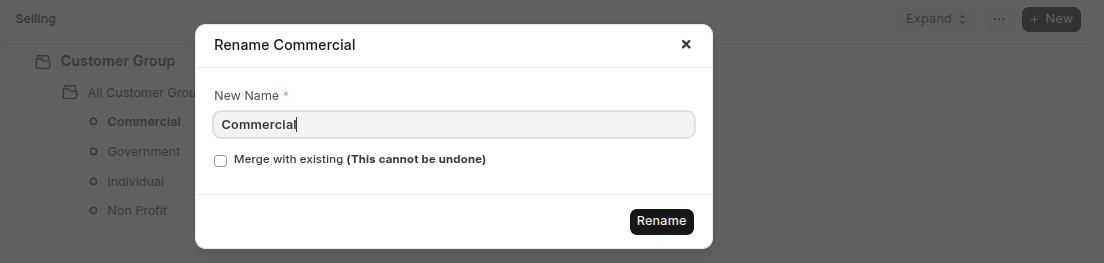
- Update the customer name
- Click Rename
Delete Customer Group
You can delete the customer group using below steps:
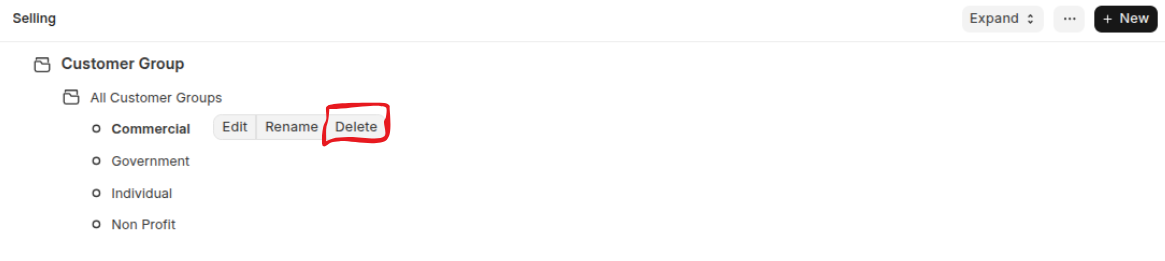
- Go to Customer Group
- Click a customer group which you want to delete
- Click delete
Last updated 6 months ago
Was this helpful?