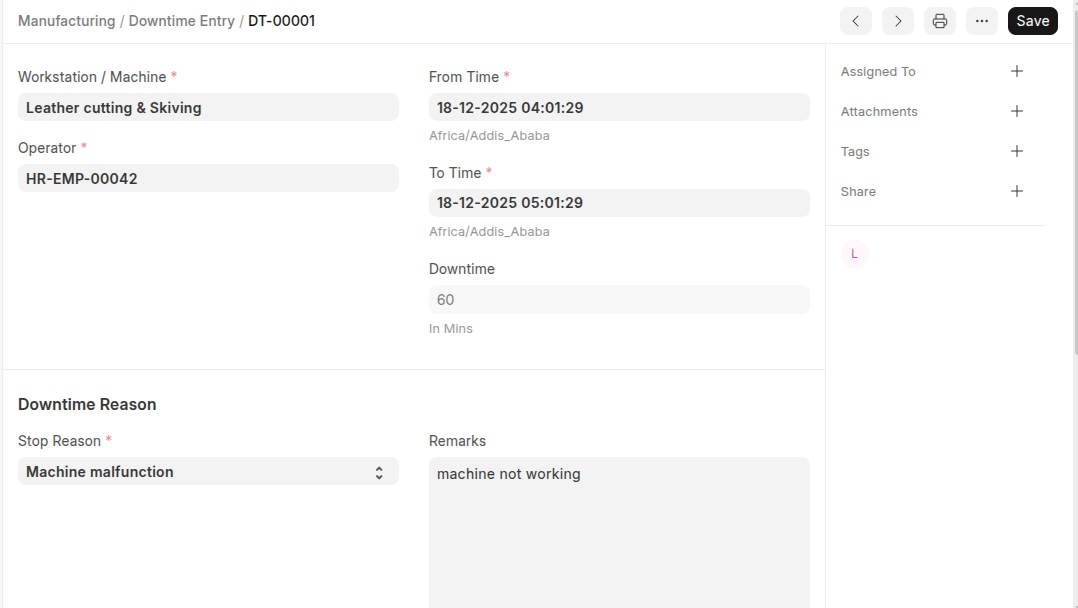
Downtime Entry document is used to capture the machine's Downtime in minutes. you need to manually create the downtime record by selecting the proper machine alongwith the machine's down time. Using Downtime entry data operator knows which machine not performing well and needs maintenance.
To Access:
Login to ERP > Desktop > Manufacturing > Downtime Entry
Create Downtime Entry
- Go to Downtime Entry
- Click Add Downtime Entry
- Select Workstation / Machine
- Select Operator and select downtime reason
- Set from time and to time and also set remarks
- Click Save
Last updated 6 months ago
Was this helpful?