Supplier Group is an aggregation of Supplier that are similar in some way.
To Access:
Login to ERP > Desktop > Buying > Supplier Group
Create Supplier Group
-
Go to Supplier Group
-
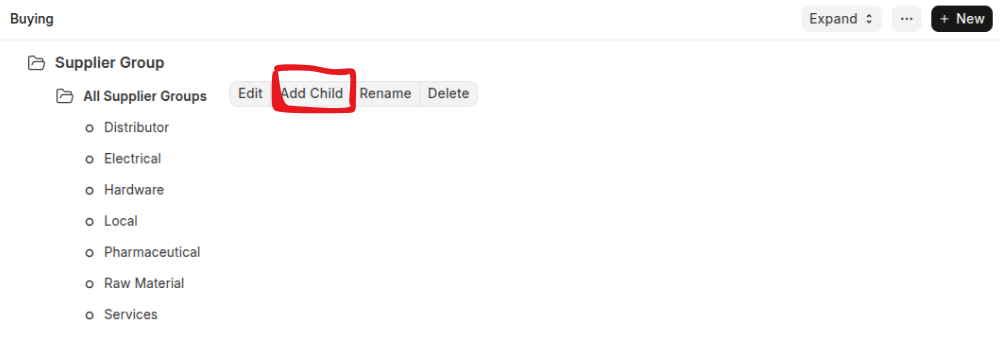
Select a Customer node under which you wish to create the Supplier Group.
-
Select 'Add Child' or click on the New button.
-
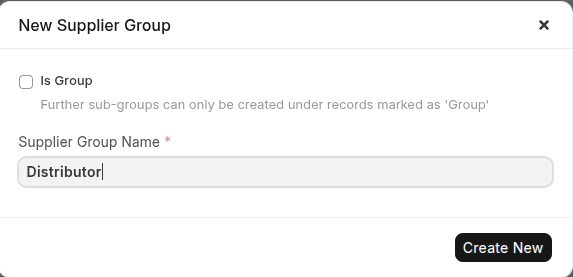
To make this child a category to group, tick on Is Group.
-
Click Create New #Edit Supplier Group You can Update the Supplier Group details using below steps:
-
Go to Supplier Group
-
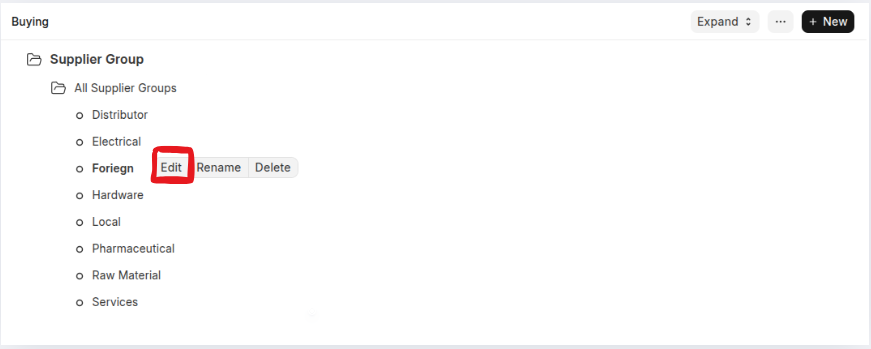
Click the Supplier Group which you want to edit
-
Once You clicked the detail of the Supplier Group will be dispalayed so yu can update any changes.
-
Click Save
#Rename Supplier Group Name If have some incorrect group name you can set the correct name of your group using below steps
-
Go to Supplier Group
-
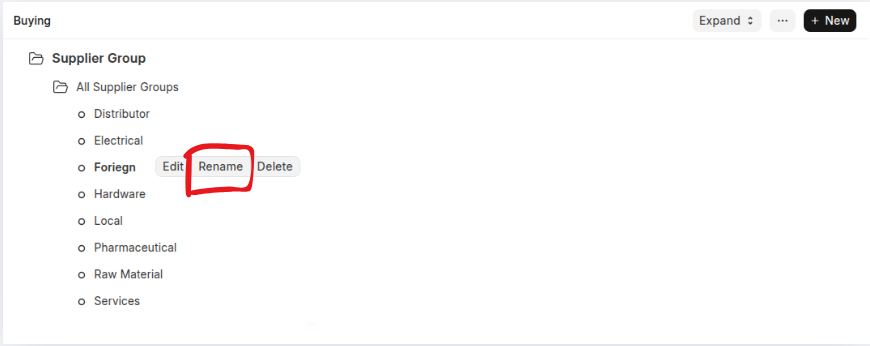
Click the Supplier Group which you want to Update the name
-
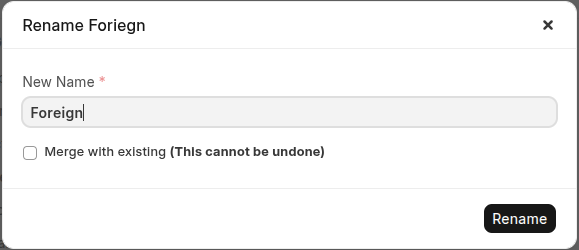
Set the Correct Name of the Supplier Group
-
Click Rename #Delate Supplier Group You can Delate The Supplier Group using below steps
-
Go to Supplier Group
-
Click the Supplier Group which you want to Delete
-
Click Delete
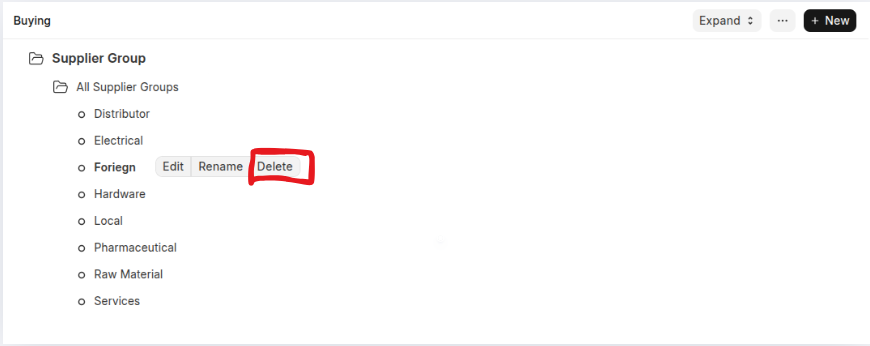 Once you clicked Delete, the supplier Group have been delated automatically.