An Employee Referral is an internal recruitment process where existing employees recommend suitable candidates for open positions.
It helps organizations hire faster by leveraging employee networks.
In Frappe HR, you can track and manage employee-referred candidates.
To access Employee Referral, go to:
Login > Desktop > Recruitment > Employee Referral
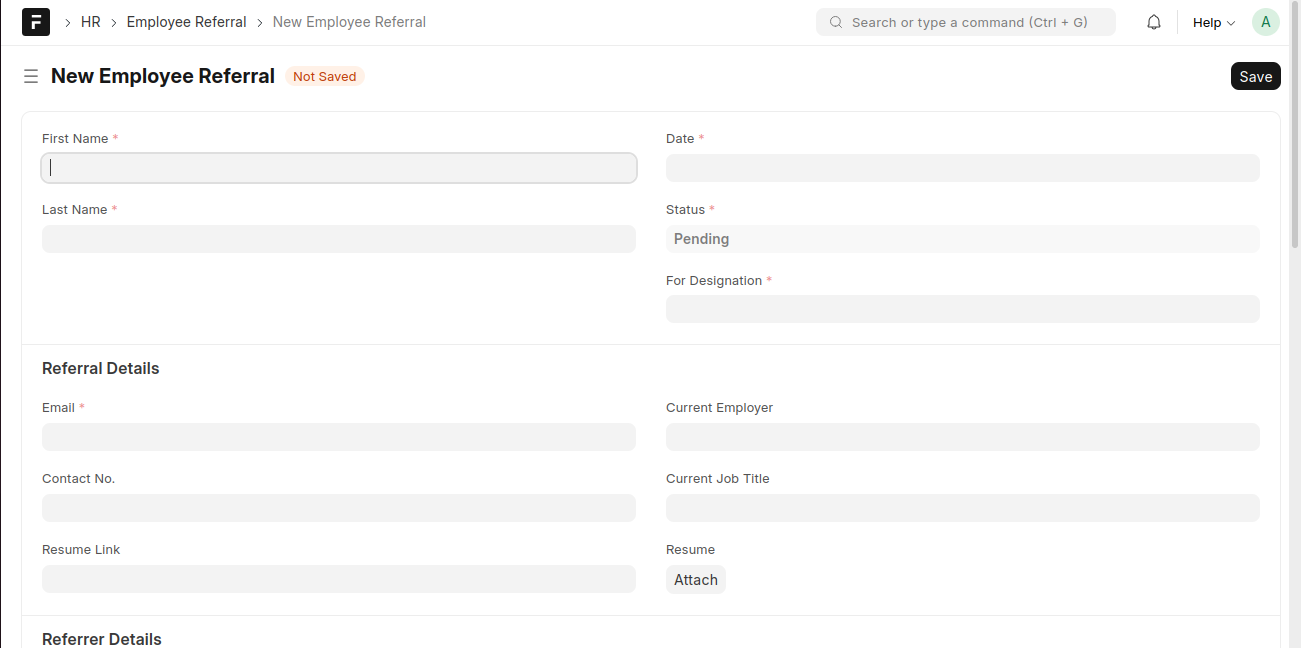
create an Employee Referral
- Click Add Employee Referral.
- Enter the First Name and Last Name of the candidate.
- Set the Date.
- Select the Status.
- Select the For Designation.
- Enter the candidate’s Email.
- (Optional) Enter the Contact No..
- (Optional) Enter the Current Employer and Current Job Title.
- (Optional) Add a Resume Link or attach the Resume.
- Fill in the Referrer Details.
- Click Save.
Last updated 6 months ago
Was this helpful?