Supplier Scorecard Standing
The supplier standing is used to quickly sort suppliers based on their performance. These are customizable for each supplier.
The scorecard standing of a supplier can also be used to restrict suppliers from being included in Request for Quotations or being issued Purchase Orders.
To Access:
Login to ERP > Desktop > Buying > Supplier Scorecard Standing
Create Supplier Scorecard Standing
- Go to Supplier Scorecard Standing
- Click Add Supplier Scorecard Standing
- Set Standing Name
- Enter Min and Max Grade
- You can take an action by using enable the action which you want( from the option warn RFQs, prevent RFQs, Warn Purchase Orders and Prevent Purchase Orders )
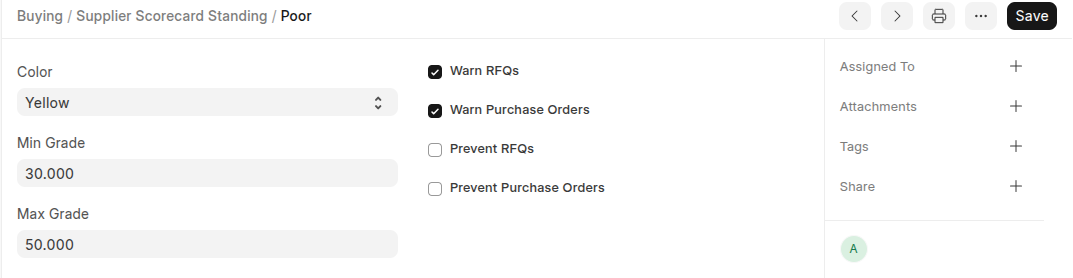
- Click Save
Last updated 6 months ago
Was this helpful?