Item Tax Template is useful for item wise taxation. If some of your Items have tax rates different from the standard tax rate assigned in the Taxes and Charges table, then you can create an Item Tax Template and assign it to an Item or Item Group.
To Access Item Tax Template:
Login to ERP > Desktop > Accounting > Item Tax Template
Create Item Tax Template
- Go to Item Tax Template
- Click Add Item Tax Template
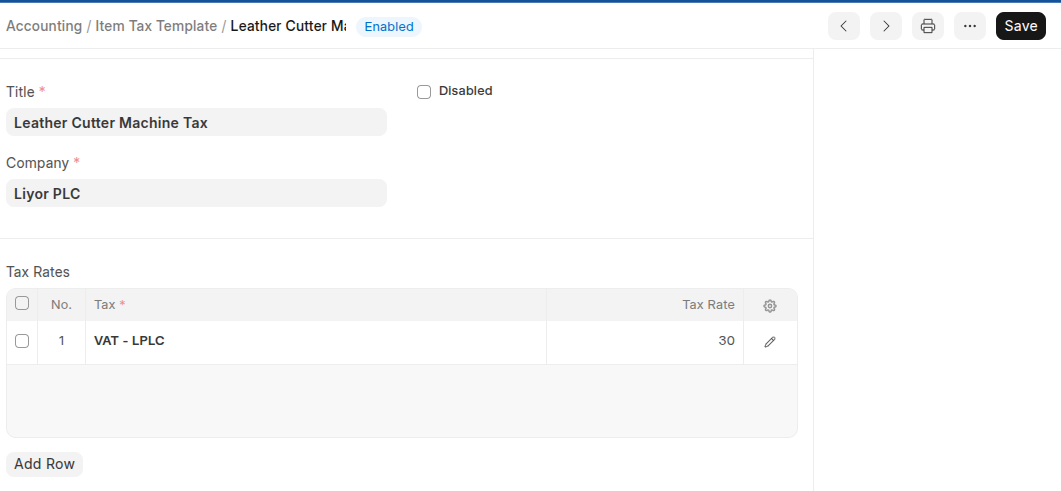
- Enter Tax Title and Select Company
- On the Taxe Rates Table Click Add Row then select tax Account, and Set Tax Rate.
- Click Save
Last updated 6 months ago
Was this helpful?