Tasks represent individual units of work within a project. They help break down projects into manageable actions, track progress, and ensure work is completed on time.
To access Project Tasks:
Login → Desktop → Projects → Tasks
Create Task
Create a new task and link it to a project:
- Go to Projects → Tasks.
- Click Add Task in the top-right corner.
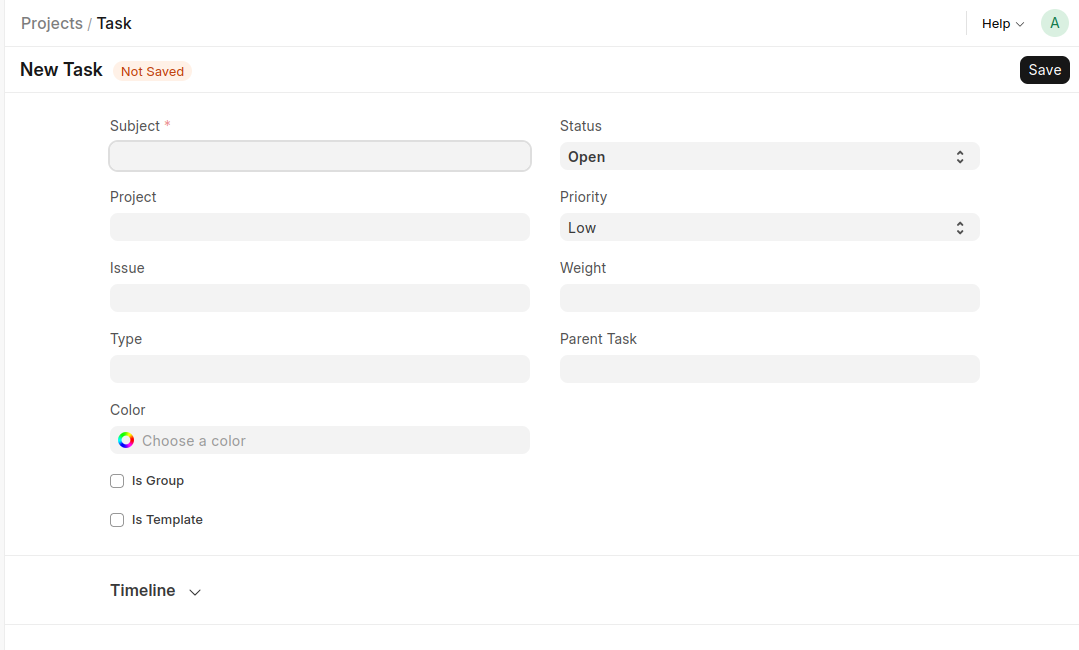
- In the New Task form, enter the required details:
- Subject
- Set additional task information:
- Project
- Status
- Priority
- Type
- Issue
- Parent Task
- Optionally, configure:
- Weight
- Color
- Is Group
- Is Template
- Click Save to create the task.
Last updated 6 months ago
Was this helpful?