A Supplier Quotation is document by a potential supplier specifying the cost of goods or services they'll provide within a specified period. To Access:
Login to ERP > Desktop > Buying > Supplier Quotation
Create Supplier Quotation
- Go to Supplier Quotation
- Click Add Supplier Quotation
- Select Supplier and Set Valid till date
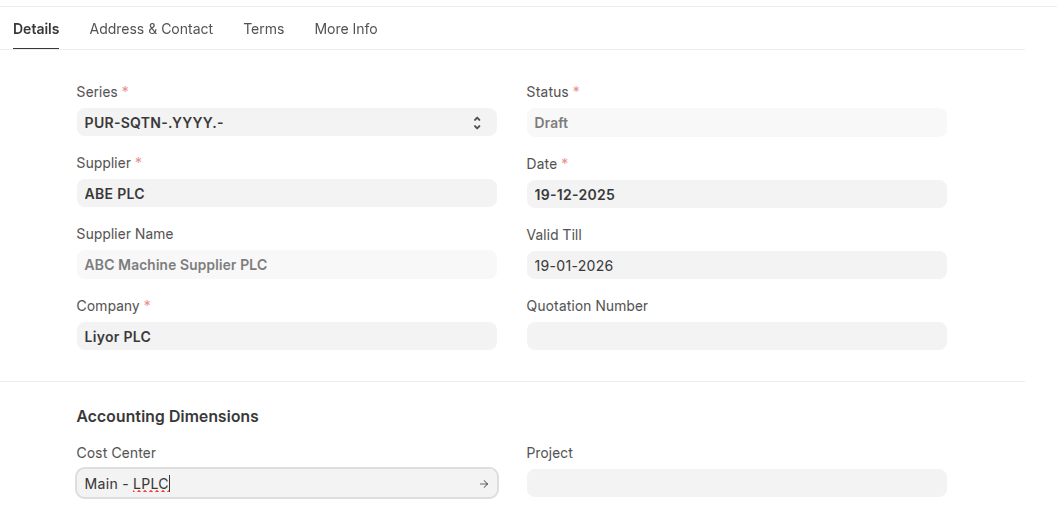
- Select cost center
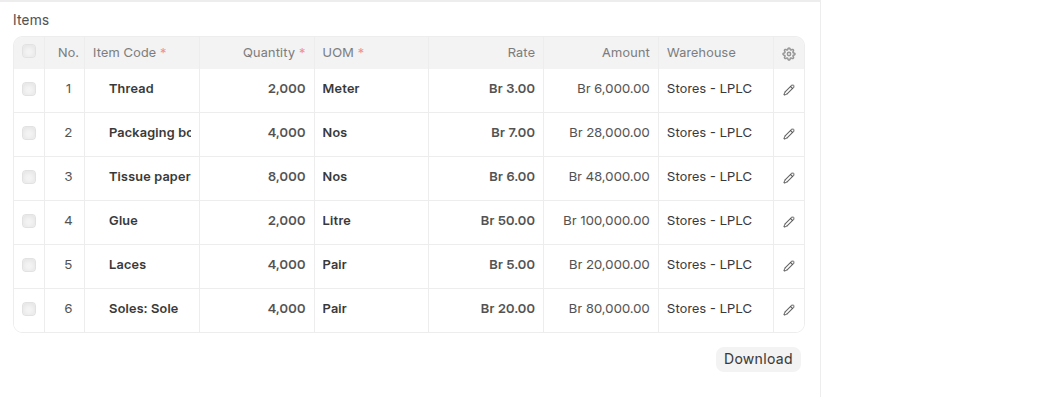
- Add items in the Items table then set thier Quantity and Rate
- Select Taxes template in the Purchase Taxes and Charges Template
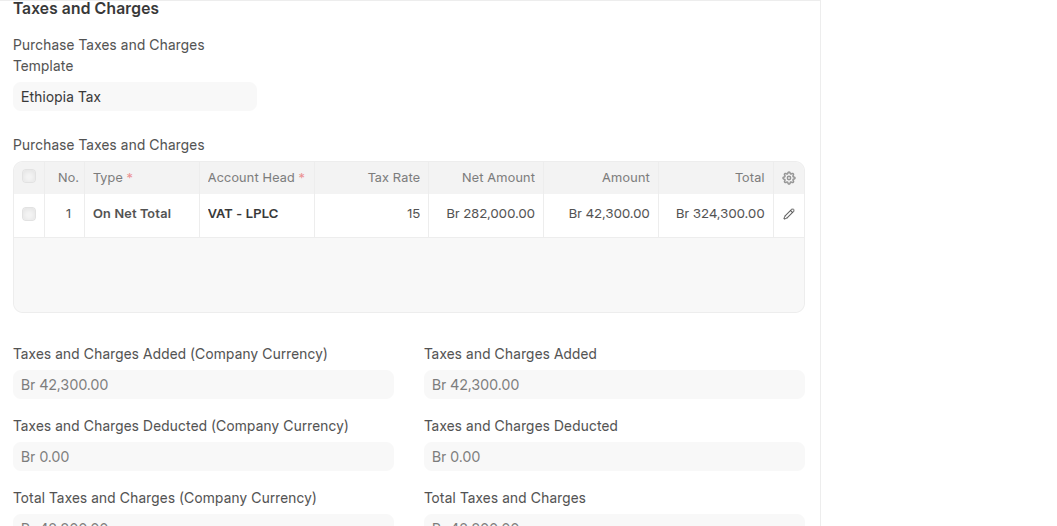
- Click Save then Submit.
Last updated 6 months ago
Was this helpful?