A Point of Sale refers to the time and place where a retail transaction takes place.
To Access:
Login to ERP > Desktop > Selling > Point of Sale
Use Point of Sale using below steps
Before using Point of Sale you have to Pos Profile and POS Opening Entry.
- Click Point of Sale
- Once you clicked Point of sale the pos user interface will be displayed
- To Make Sell, select customer
- Add ordered items to the item cart: when you click item, it automatically added to the item cart. in addition to this you can search items by item name, item code, itme group, serial number and also by barcode.Clcik
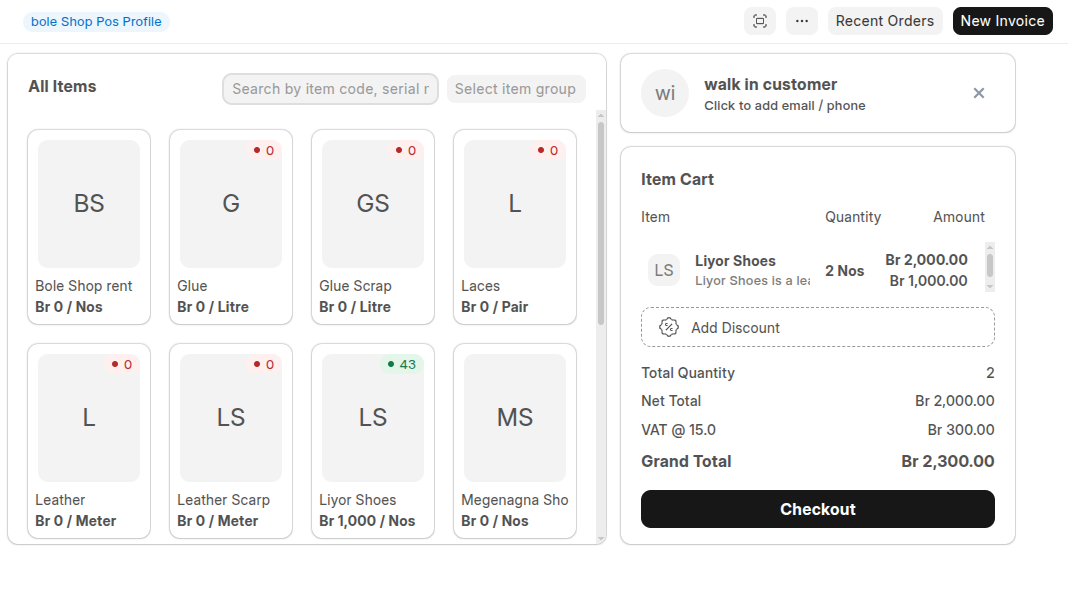
- Click Checkout to proced the selling.
- If have disount click then Add discount then set discount percentage
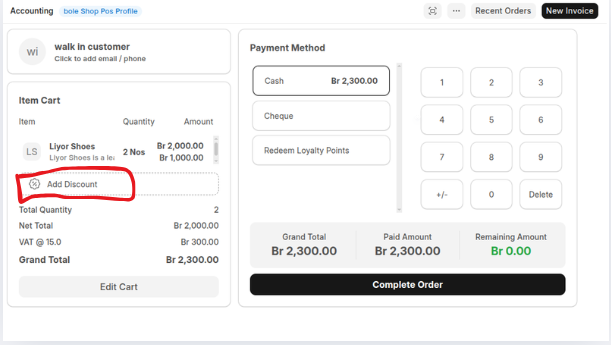
- Select Payment method
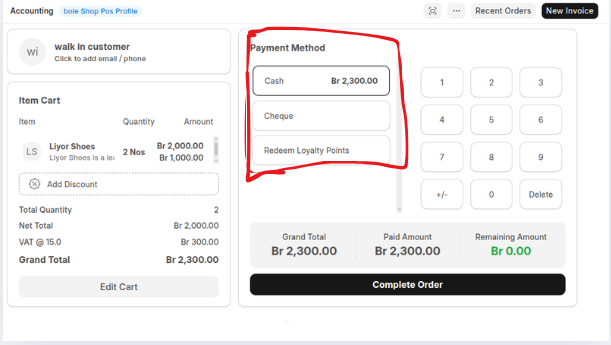
- Click Complete Order then click Yes if all are correct
One you clicked Complete Order the pos invoice has been created then the sales receipt will be displayed.
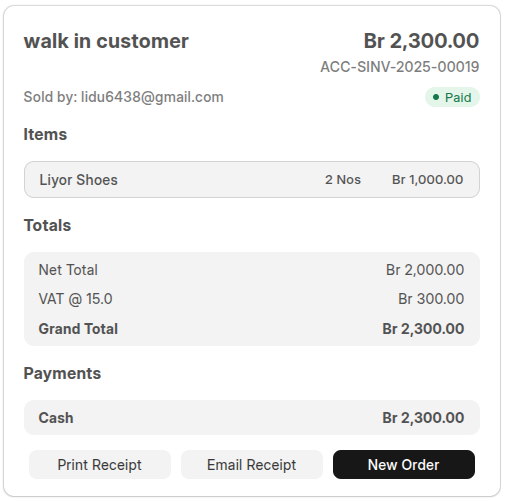
You can print or email the sales receipt. To Proceed the other order simply click New Order
Last updated 6 months ago
Was this helpful?