Production Planning Report
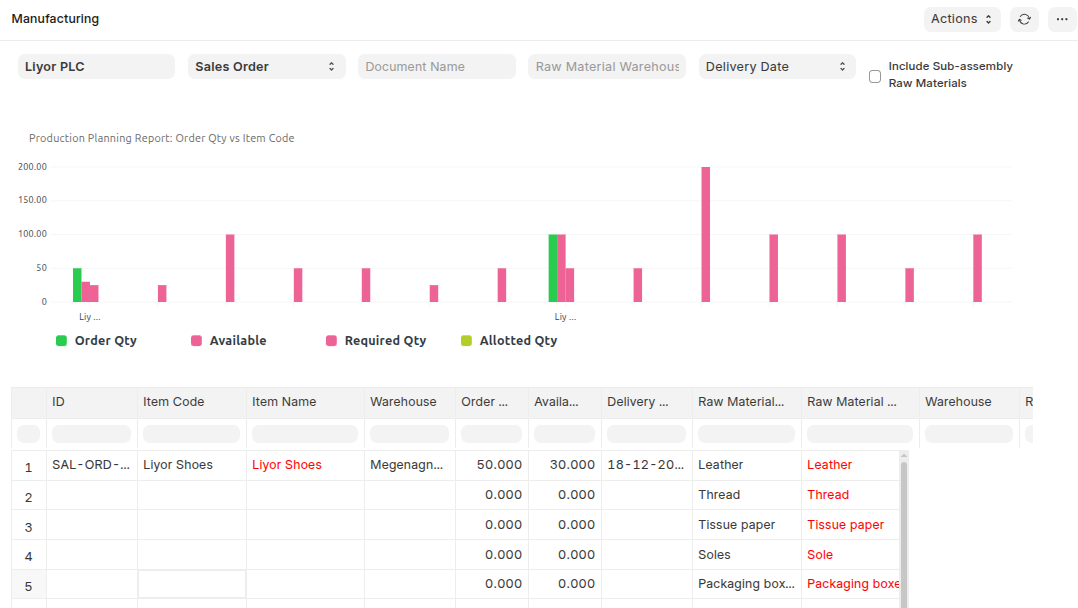
This report will help you plan the finished good as well as the raw materials against the Sales Order / Work Order / Material Request (with the request type as Manufactured) data. And also et the information about the available finished goods as well as available raw materials that are required in the production process.
To access:
Login to ERP > Desktop > Manufacturing > Production Planning Report
Work Order Summary
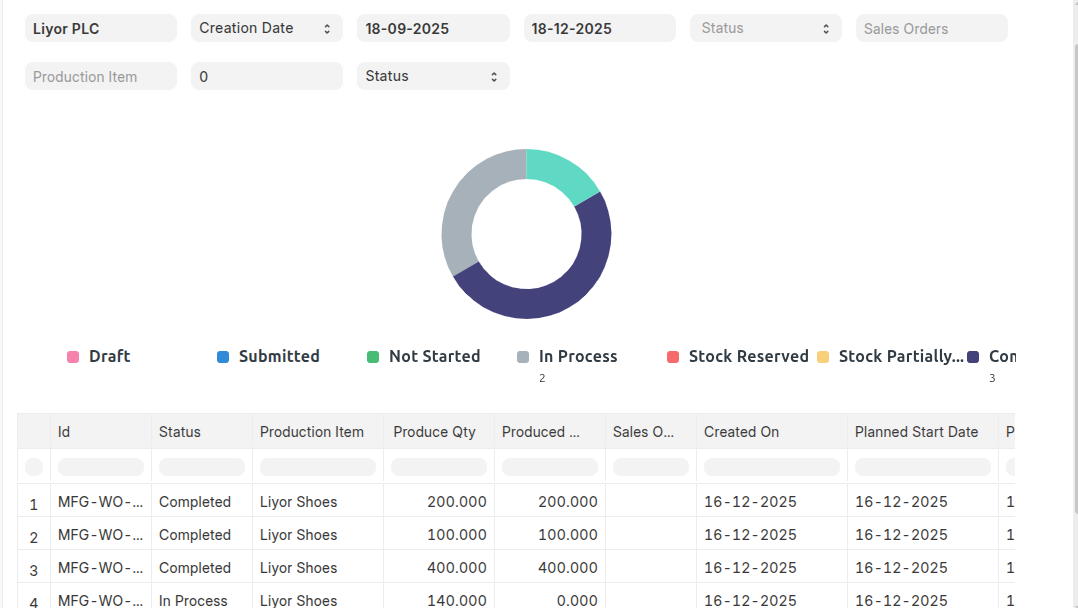
The Work Order Summary report provides an overview of the produced quantity for each Work Order along with its current status. Using this report, you can monitor the status of Work Orders linked to a Sales Order and track their progress. The report also allows you to filter Work Orders by status, such as Not Started, In Process, Completed, and Stopped.
To access:
Login to ERP > Desktop > Manufacturing > Work Order Summary
Job Card Summary
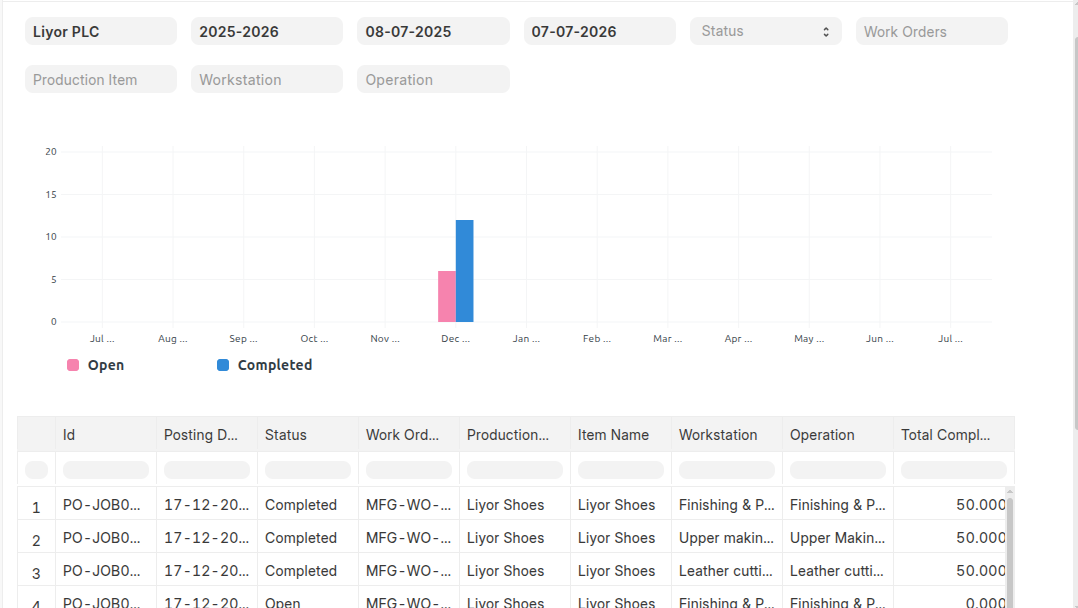
This report will give information about the Job Card as well as their status. Using this report you can check the month's Open and Completed Job Cards for the selected periods. To access:
Login to ERP > Desktop > Manufacturing > Job Card Summary
Production Analaytics
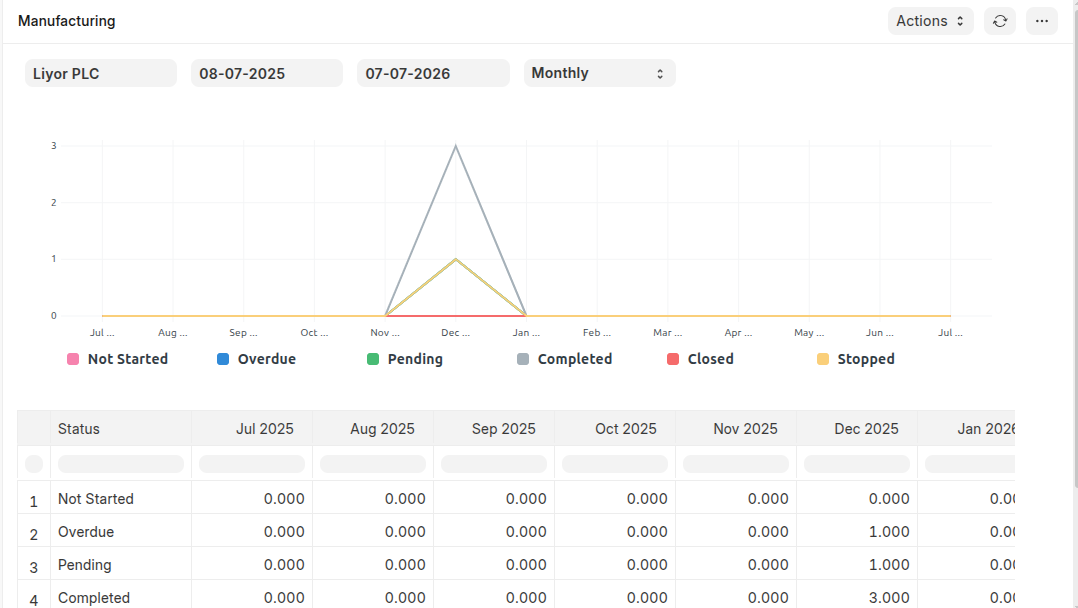
This report provides an overall analytical view of all Work Orders, including production progress, quantities produced, and current Work Order statuses. It helps users monitor manufacturing performance and track Work Orders effectively.
To access:
Login to ERP > Desktop > Manufacturing > Prodcution Analytics