Leave Policy Assignment
Leave Policy Assignment is used to assign a predefined Leave Policy to employees for a specific time period. This ensures that employees receive the correct leave entitlements as defined in the policy.
To access Leave Policy Assignment, go to:
Login > Desktop > Human Resources > Leaves > Leave Policy Assignment
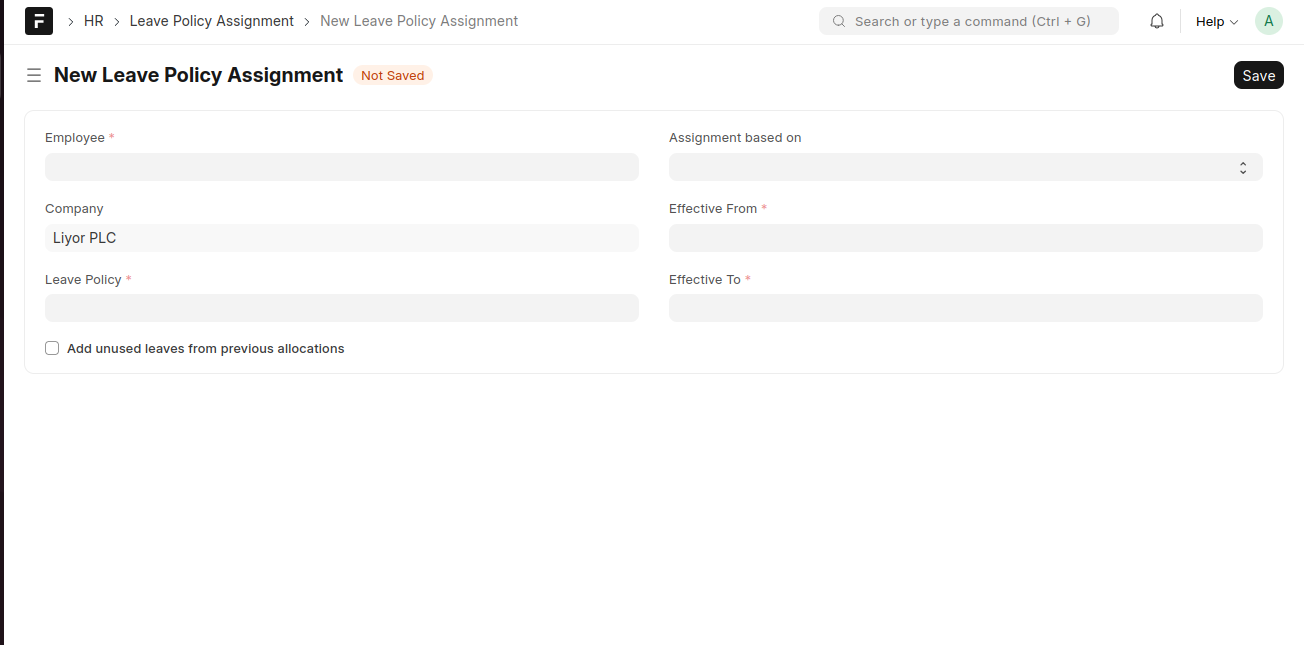
create a Leave Policy Assignment
- Click Add Leave Policy Assignment.
- Select the Employee.
- Select the Company.
- Choose the Leave Policy to be assigned.
- Select the Assignment based on criteria (if applicable).
- Enter the Effective From date.
- Enter the Effective To date.
- (Optional) Enable Add unused leaves from previous allocations if applicable.
- Click Save.
Last updated 6 months ago
Was this helpful?