A Fiscal Year is used to record and report the transactions for the year.
To Access Fiscal Year:
Login to ERP > Desktop > Accounting > Fiscal Year
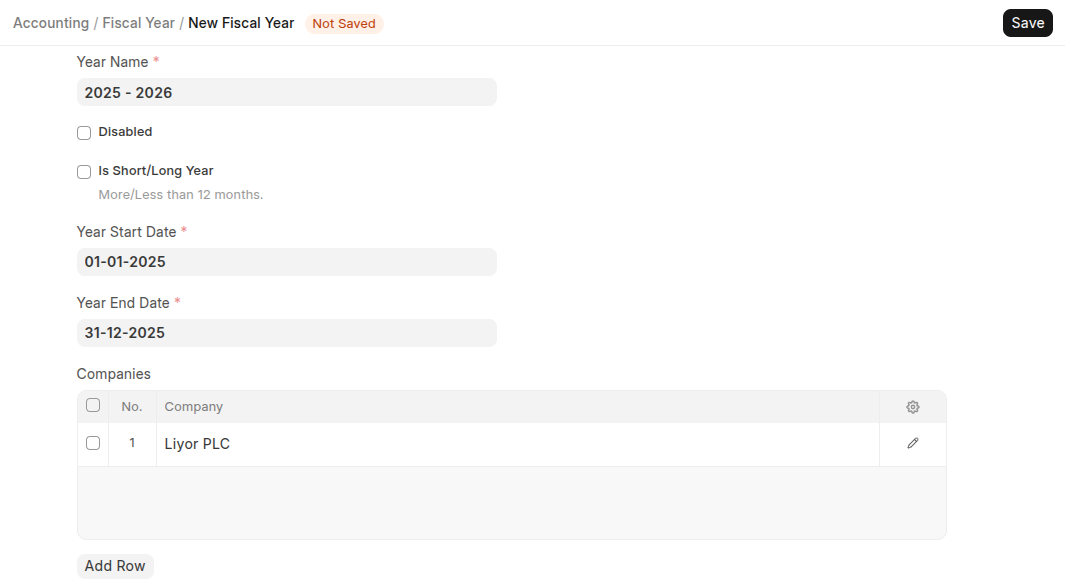
Add Fiscal Year
- Go to Fiscal Year
- Click Add Fiscal Year
- Enter Year name
- Set Year start date and Year end date
- Under Companies table Select Company if you have multiple company
Last updated 6 months ago
Was this helpful?