A Stock Entry lets you record Item movement between Warehouses.
To Access:
Login to ERP > Desktop > Stock > Stock Entry
Create Stock Entry
- Go to Stock Entry
- Click Add Stock Entry
- Select Entry Type: Option Entry types are:-
- Material Issue: If the material is being issued to someone in or outside the company (Outgoing Material). The Items will be deducted from the Warehouse set under Source Warehouse.
- Material Receipt: If the material is being received (Incoming Material). The Items will be added to the Warehouse set under Target Warehouse.
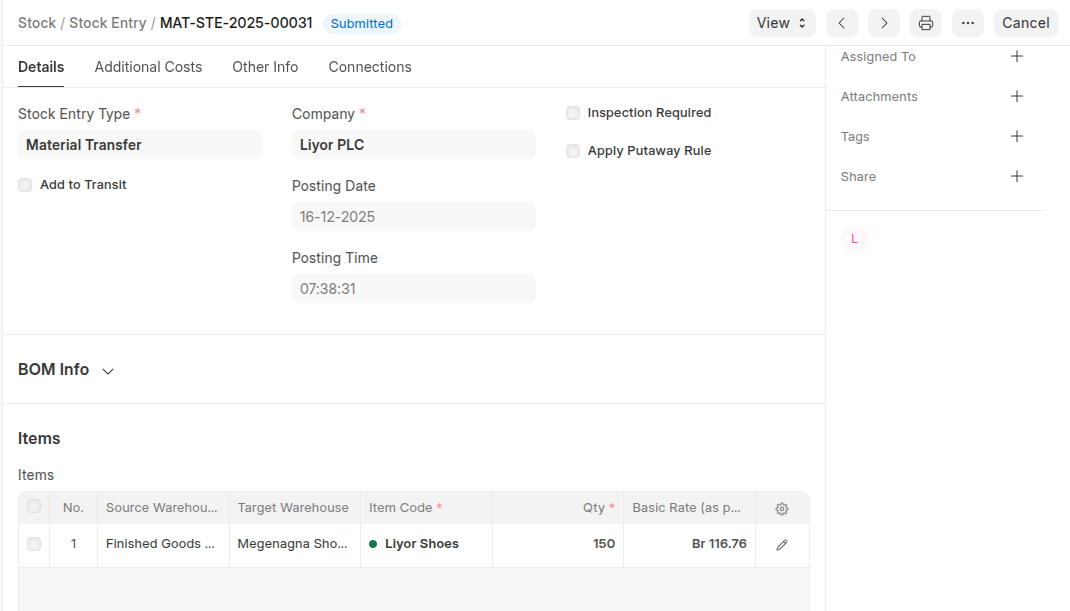
- Material Transfer: If the material is being moved from one internal Warehouse to another.
- Material Transfer for Manufacturing: If raw materials are being transferred for manufacturing. The transfer can happen against a Work Order or a Job Card. To know more, visit the Bill Of Materials page.
- Material Consumption for Manufacture: There can be multiple consumption stock entries against a manufacturing Work Order. Refer this link for more details
- Manufacture: If the Material is being received from a Manufacturing/Production Operation.
- Repack: If the Original item/items are being repacked into new item/items.
- Send to Subcontractor: If the Material is being issued for a sub-contract activity. This entry is made from a Purchase Order.
- Under Items table click Add row to add items then set quantity and warehouse.
- If quailty check required enable inspection quantity
- Click Save
Last updated 6 months ago
Was this helpful?