The Calendar in Frappe CRM helps you schedule and manage meetings, calls, and events. It gives you a clear view of your daily, weekly, and monthly agenda.
To access Calendar:
Login → Desktop → Frappe CRM → Calendar
Create Calendar Event
Create a new event in Frappe CRM:
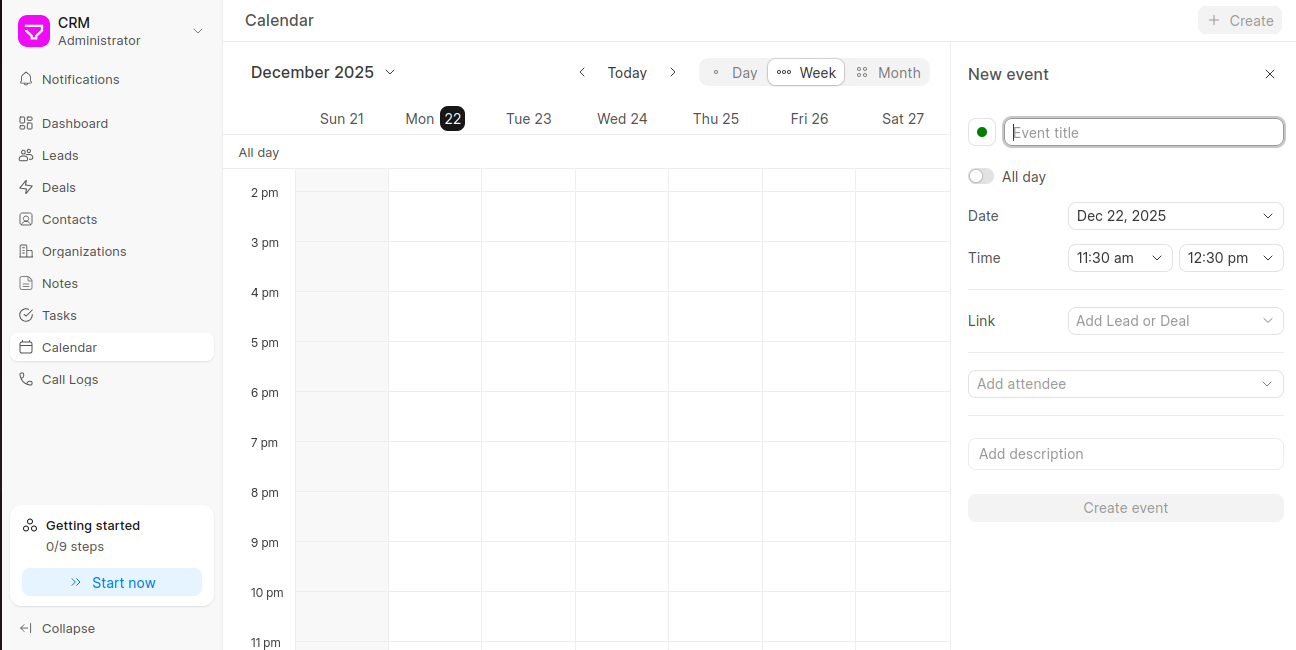
- Go to Calendar from the sidebar.
- Click + Create at the top-right corner.
- Enter the Event title.
- (Optional) Enable All day if the event lasts the whole day.
- Select the Date and Time.
- Link the event to a Lead or Deal if required.
- Add Attendees and a short Description (optional).
- Click Create event to save.
Last updated 6 months ago
Was this helpful?