It is an assembly of people for a particular purpose or agenda, especially for formal discussion about Quality aspects.
To Access:
Login to ERP > Desktop > Quality > Quality Meeting
Create Quality Meeting
- Go to Quality Meeting
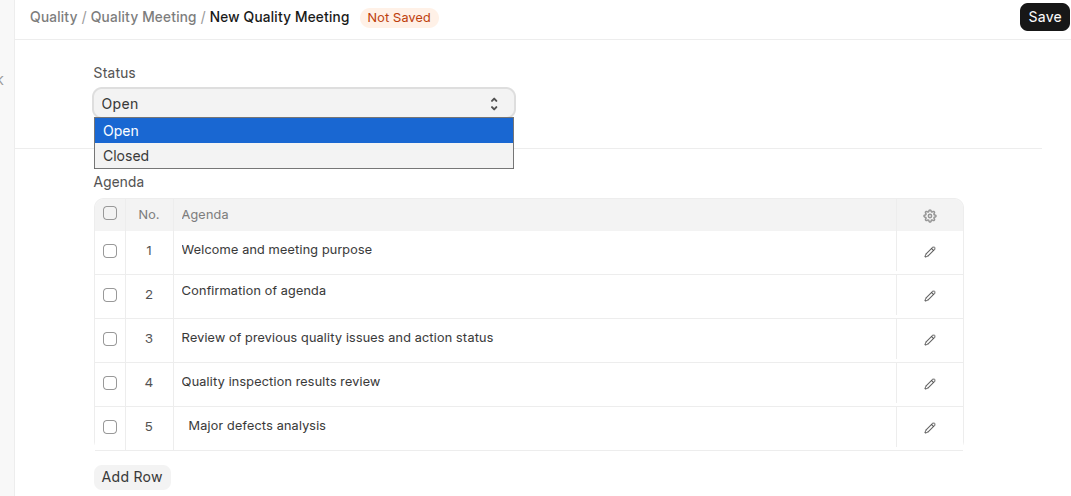
- Click Add Quality Meeting and Select the status.
- List All Agenda in the Agenda table
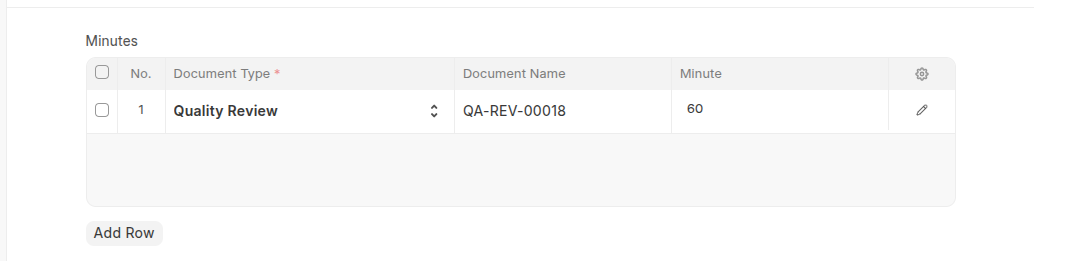
- In the Minutes table Select document type, document name and set minutes
- Click Save
Last updated 6 months ago
Was this helpful?