Leave Encashment allows employees to receive payment for unused, encashable leaves.
To access Leave Encashment:
Login > Desktop > Human Resources > Leaves > Leave Encashment
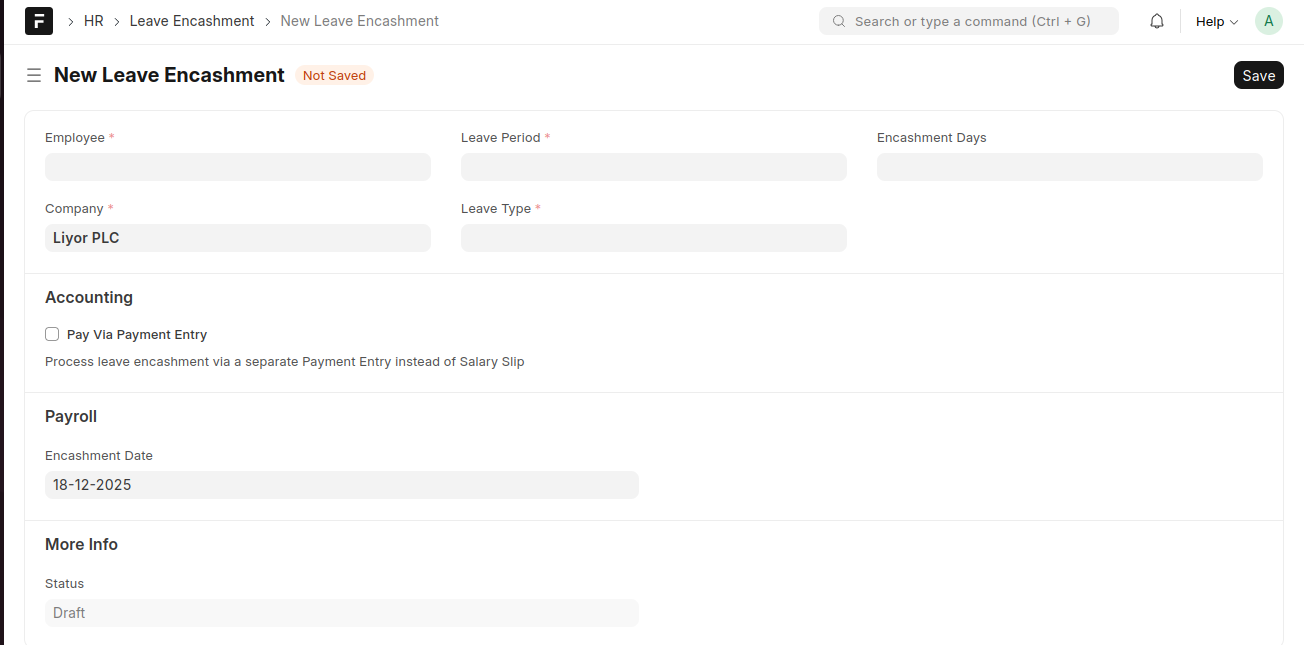
Create a Leave Encashment
- Click Add Leave Encashment.
- Select the Employee, Company, Leave Period, and Leave Type.
- Enter the Encashment Days.
- (Optional) Enable Pay via Payment Entry if required.
- Set the Encashment Date.
- Click Save.
Last updated 6 months ago
Was this helpful?