Daily Work Summary Group
Daily Work Summary Group is used to automatically request daily work summaries from employees via email. It helps organizations collect daily work reports in a structured and automated manner.
To access Daily Work Summary Group, go to:
Login > Desktop > Human Resources > Daily Work Summary Group
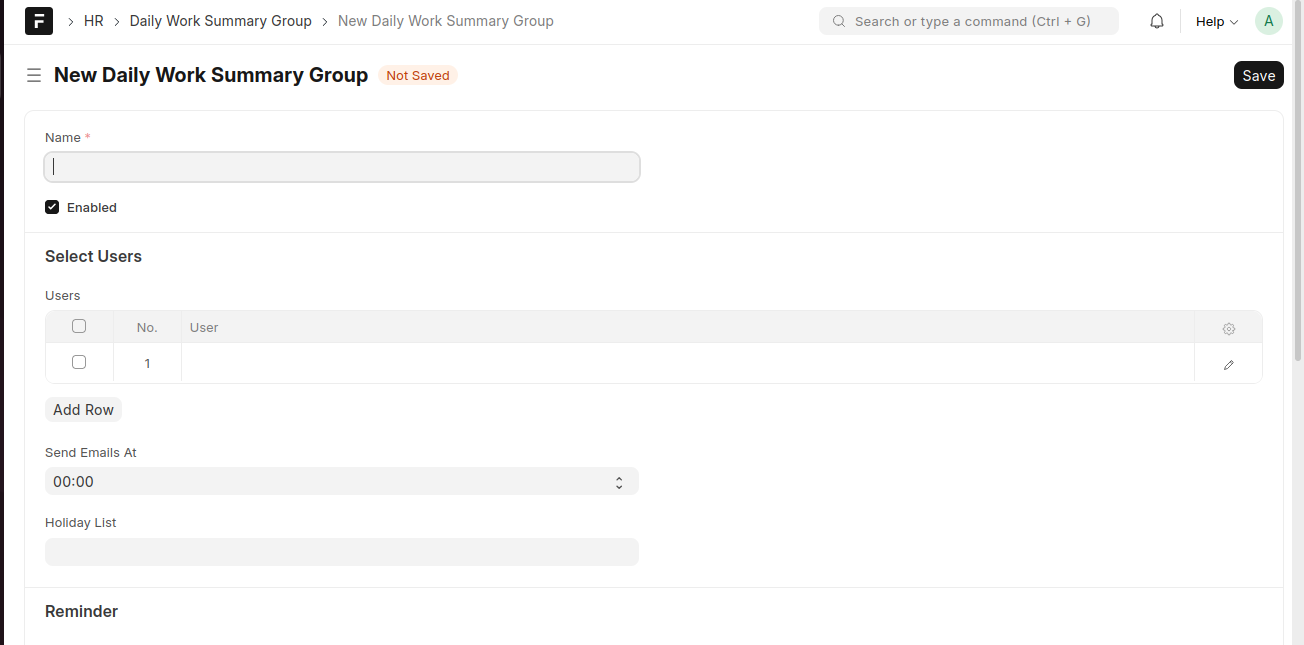
create a Daily Work Summary Group
- Go to the Daily Work Summary Group list and click Add Daily Work Summary Group
- Enter the Name of the group
- Enable the group if required
- Add users under Select Users
- Set the Send Emails At time
- Select the Holiday List if applicable
- Configure Reminder settings if required
- Click Save
Last updated 6 months ago
Was this helpful?