Payment Terms Template
Payment Terms Template allow you to club multiple payment terms together and fetch in transactions.
To Access Payment Terms Template:
Login to ERP > Desktop > Accounting > Payment Terms Template
Create Payment Terms Template
- Go to Payment Terms Template
- Click Add Payment Terms Template
- Set Template Name
- On the Payment terms table Add All payment terms by clicking Add row make sure the total Invoice Portion adds up to 100
- Click Save
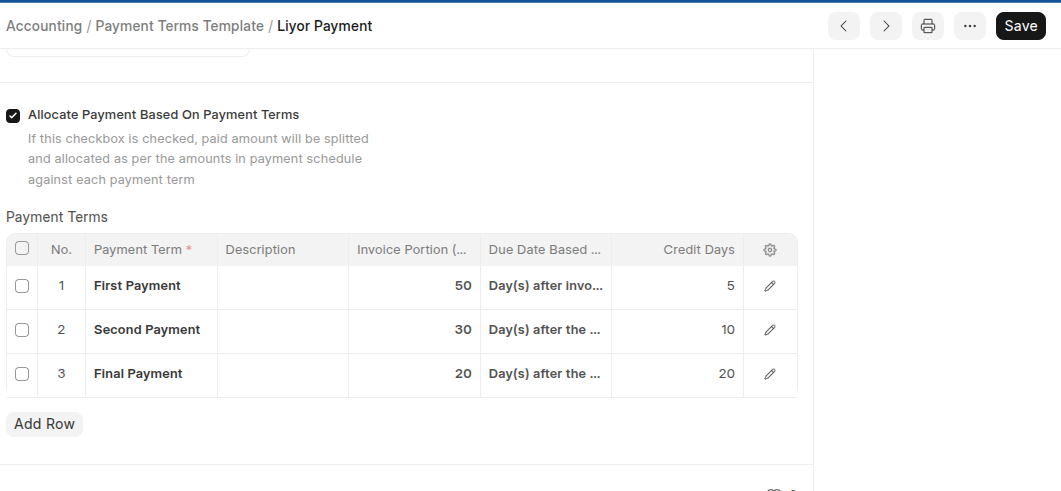
Last updated 6 months ago
Was this helpful?