Supplier Scorecard Variable
The method for calculating each criteria is determined through the Criteria Formula field, which can use a number of pre-established variables.
To Access:
Login to ERP > Desktop > Buying > Supplier Scorecard Variable
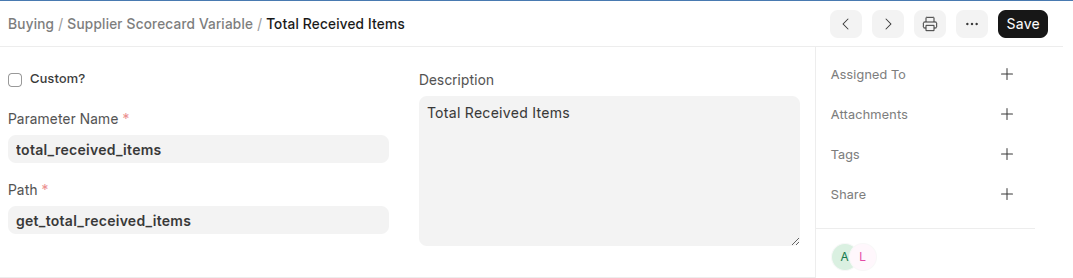
Create Supplier Scorecard Variable
- Go to Supplier Scorecard Variable
- Click Add Supplier Scorecard Variable
- Set Variable name, Parent Name and Path
- Enable Custom if the variable is custom
- Set Description
- Click Save
Last updated 6 months ago
Was this helpful?