Asset Value Adjustment
If the value of an Asset changed due to any damages or any other reason, you can adjust the value of an asset using Asset Value Adjustment.
To Access Asset Value Adjustment:
Login to ERP > Desktop > Assets > Asset Value Adjustment
Adjust the value of an asset
- Go to Asset Value Adjustment
- Click Add Asset Value Adjustment
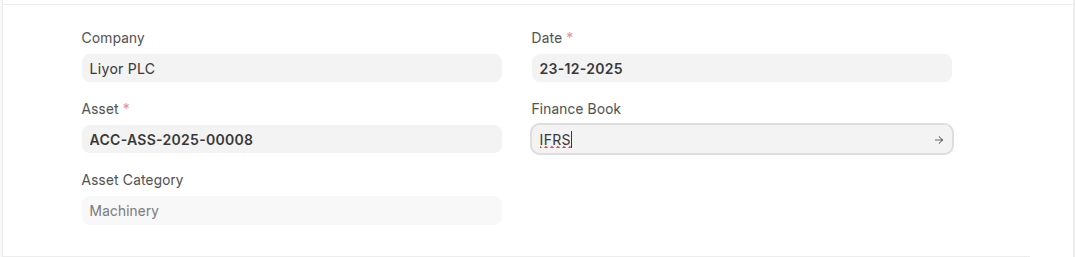
- Select asset which to be adjust it's value
- Select date and finance book
- Set New Asset Value and Difference Account
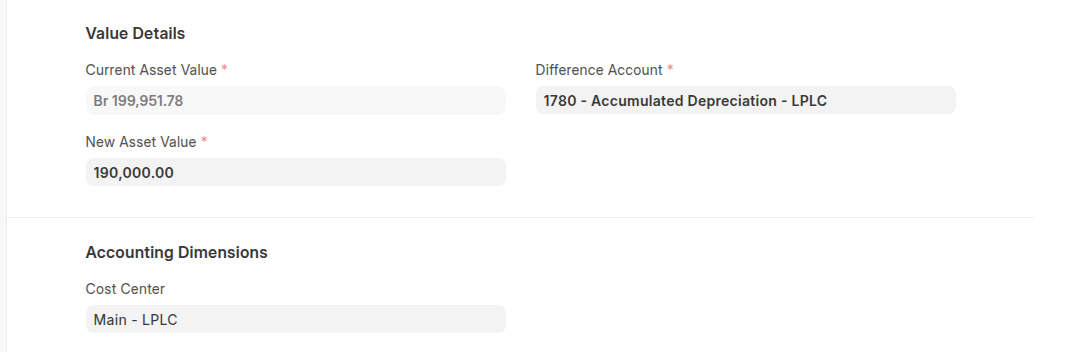
- Set Cost center
- Click Save
Last updated 6 months ago
Was this helpful?