A Payment Term helps to set a schedule according to which payments will be made.
To Access Payment Term:
Login to ERP > Desktop > Accounting > Payment Term
Create Payment Term
- Go to Payment Term
- Click Add Payment Term
- Enter Payment Term Name
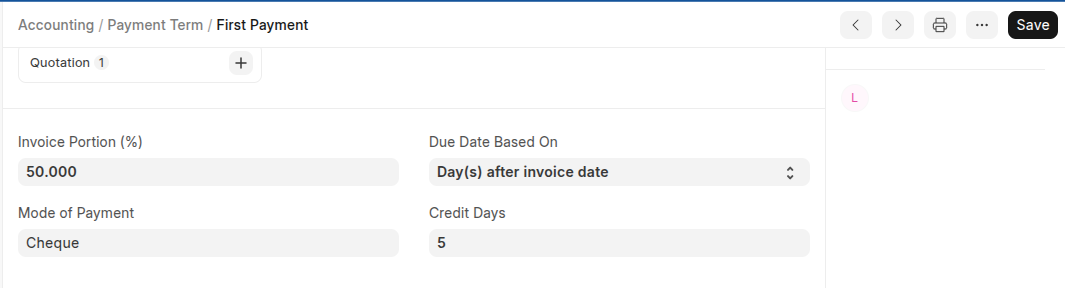
- Set Invoice Portion.
- Select Due date based on and payment method
- In the Credit Days field enter the number of days after which the remaining amount has to be paid.
Setting up Discount on Early Payments
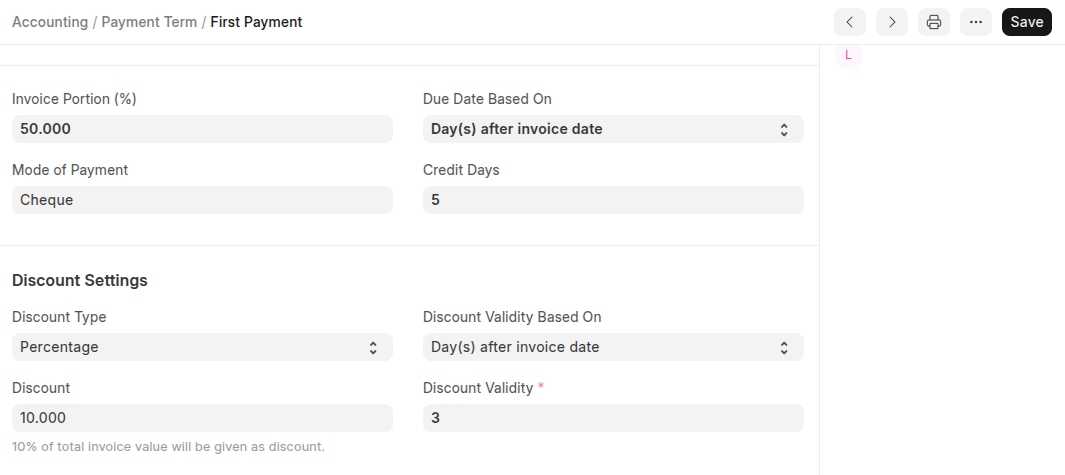
You can set up a discounted payment terms such that if payment is done within the specified period then some amount/percentage of the invoice value will be discounted. The define the discount in the discount settings section.
Select the discount type (either percentage/amount)
Under Discount field Set the Disocunt Amount/Precentage
Select discount validity based on
Under Discount Validat field set the number of days the discount is valid.
Last updated 6 months ago
Was this helpful?