A Project represents a planned piece of work created to deliver a specific outcome, improve a process, or achieve a defined goal. Projects help you organize tasks, timelines, priorities, and ownership in one place.
To access Projects:
Login → Desktop → Projects → Projects
Create Project
Create a new project to start planning and tracking work:
- Go to Projects → Projects.
- Click Add Project in the top-right corner.
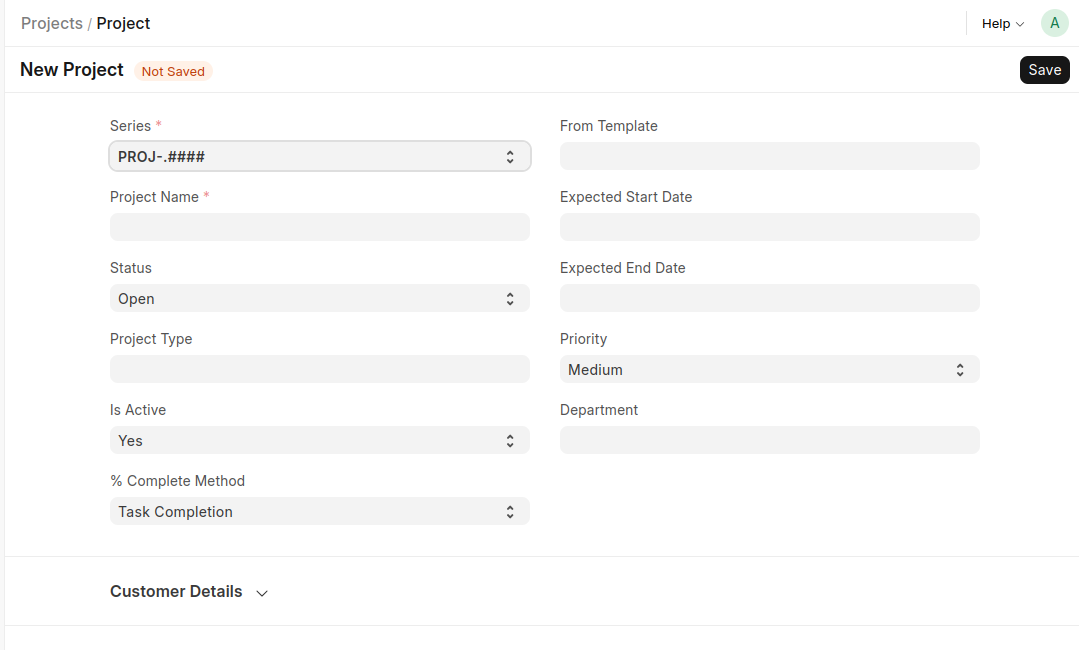
- In the New Project form, enter the required details:
- Project Name
- Series
- Set additional project information:
- Status
- Project Type
- Priority
- Expected Start Date
- Expected End Date
- Department
- Choose project settings:
- Is Active
- % Complete Method
- Click Save to create the project.
Last updated 6 months ago
Was this helpful?