A Job Offer is issued to selected candidates after interview and selection, detailing salary, designation, and other employment terms.
To access Job Offer, go to:
Login > Desktop > Recruitment > Job Offer
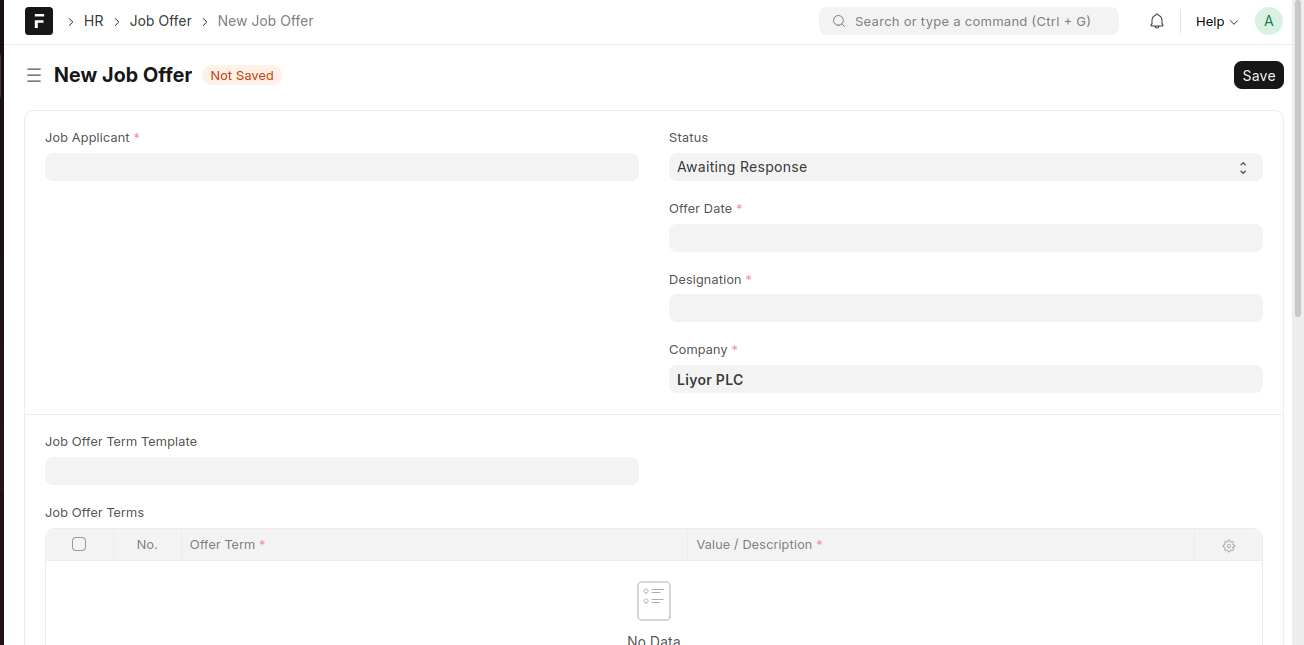
Create a Job Offer
- Click Add Job Offer.
- Select the Job Applicant.
- Enter the Offer Date, Designation, and Company.
- Set the Status (e.g., Awaiting Response).
- Add Job Offer Terms if required.
- Click Save.
Last updated 6 months ago
Was this helpful?