A Lead represents a potential customer who has shown interest in your products or services. Leads help track early interactions before converting them into deals or customers.
To access Leads:
Login → Desktop → Frappe CRM → Leads
Create Lead
To create a new lead in Frappe CRM:
- Go to Frappe CRM → Leads.
- Click Create in the top-right corner.
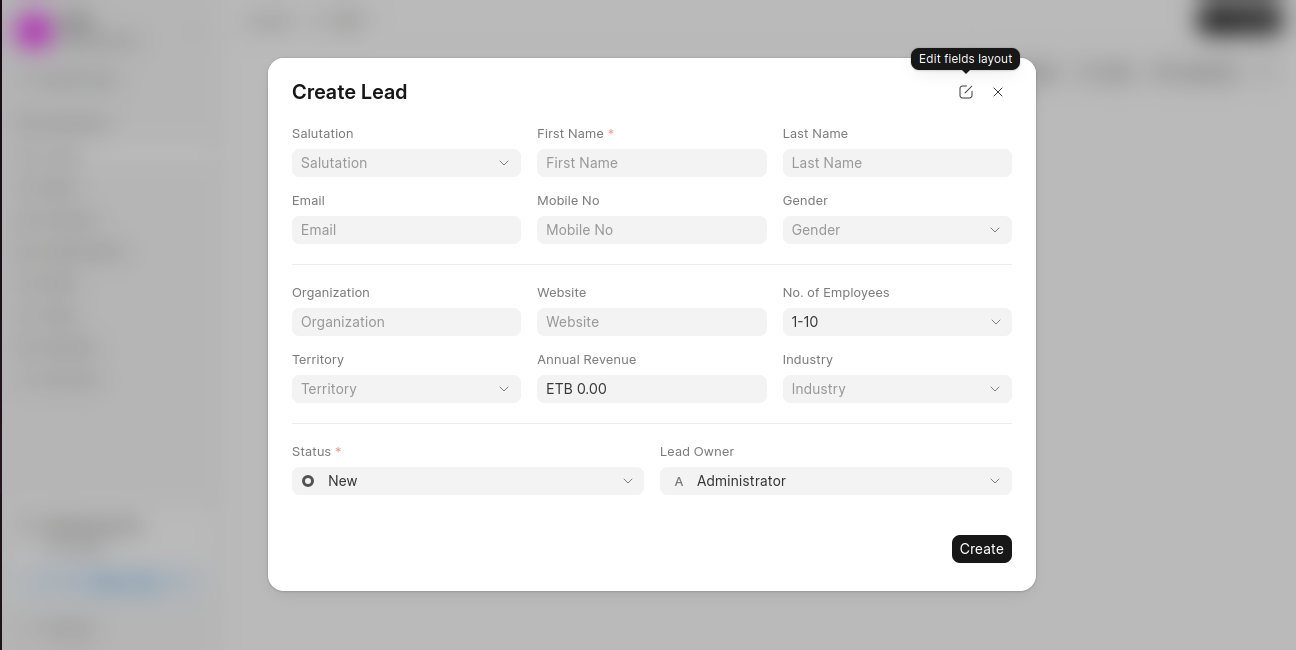
- In the Create Lead dialog, enter the required details:
- First Name (mandatory)
- Last Name
- Mobile No
- Optionally, provide additional information:
- Organization
- Website
- Industry
- No. of Employees
- Annual Revenue
- Territory
- Set the Status (for example, New).
- Assign a Lead Owner.
- Click Create to save the lead.
Last updated 6 months ago
Was this helpful?