Using Shipping Rule you can define the cost for delivering the product to the customer or from the supplier.
To Access:
Login to ERP > Desktop > Selling > Shipping Rule
Create Shipping Rule
- Go to Shipping Rule
- Click Add Shipping Rule
- Set Shipping Rule Label and select Shipping Rule Type (either buying or selling)
- Set Shipping Account, and cost center
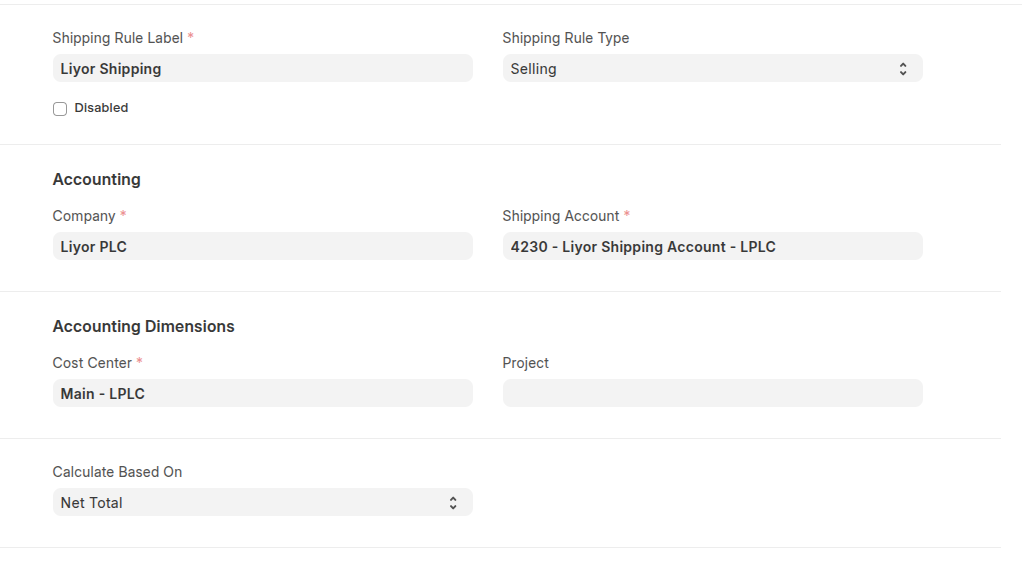
- Select Calculate Based On (fixed/net total/net weight) then set sthier details
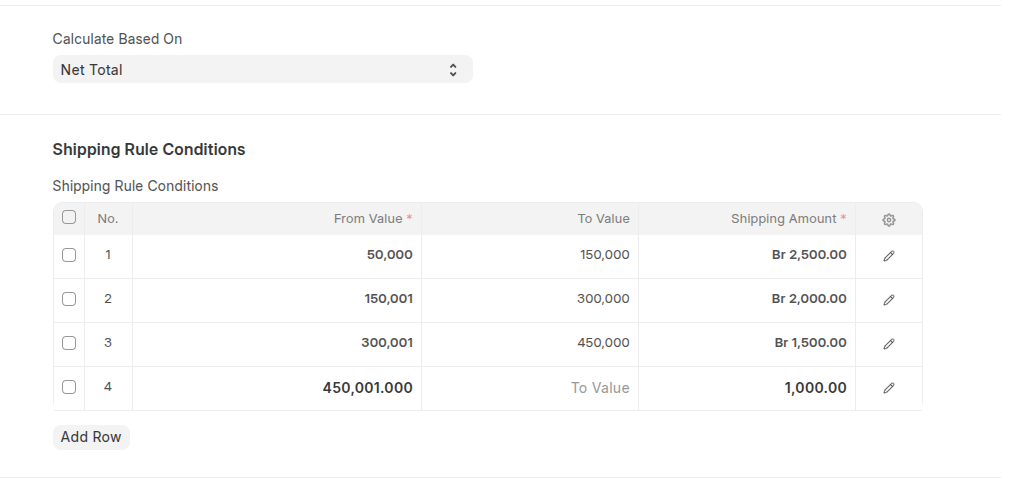
- If have this rule for some country you can restrict countries in the Restrict to Countries section.
- Click Save
Last updated 6 months ago
Was this helpful?