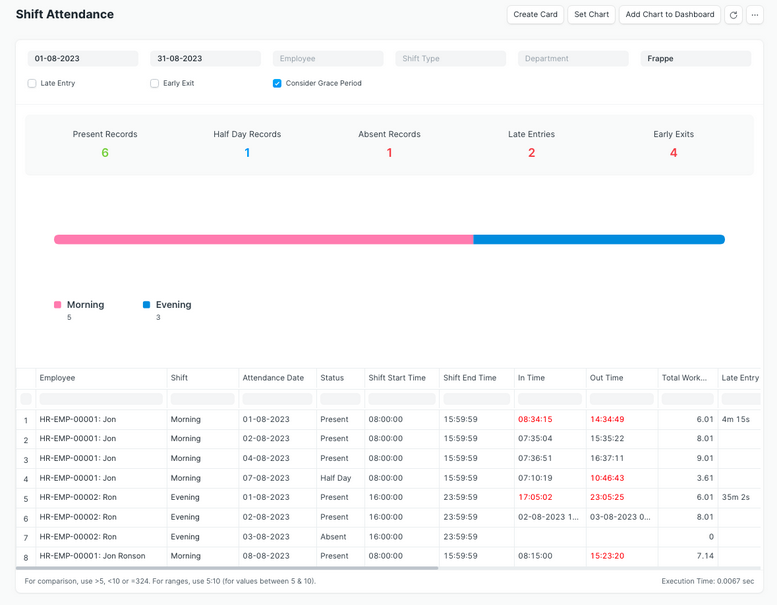
Shift Attendance shows employee attendance based on assigned shifts within a selected date range, including late entry and early exit details. To access Shift Attendance, go to:
Login > Desktop > Human Resource > Shift Attendance
View Shift Attendance
- Go to Shift & Attendance.
- Set the From Date and To Date.
- Select Company and optionally Employee, Shift Type, or Department.
- Enable Late Entry, Early Exit, or Consider Grace Period as needed.
- Review the shift-wise attendance details.
Last updated 6 months ago
Was this helpful?