A Purchase Order is a binding contract with your Supplier that you promise to buy a set of items under given conditions.
To Access:
Login to ERP > Desktop > Buying > Purchase Order
Create Purchase Order
- Go to Purchase Order
- Click Add Purchase Order
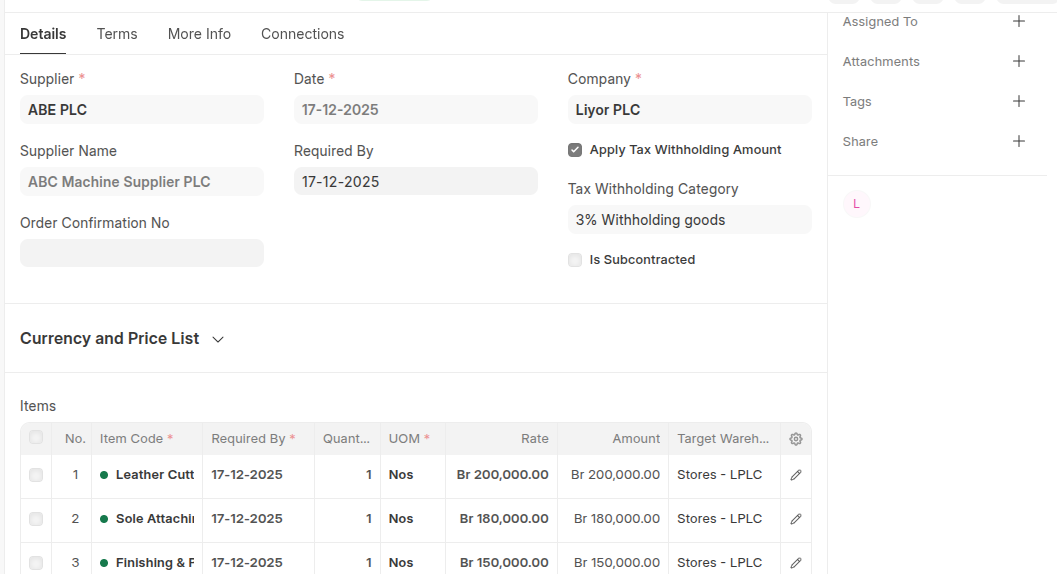
- Select Supplier and set required date
- Enable Apply Tax Withholding Amount then select Tax Withholding Category
- Set Cost center
- In the Items table Click Add Row then add all items and set thier quantities.
- Set taget warehouse
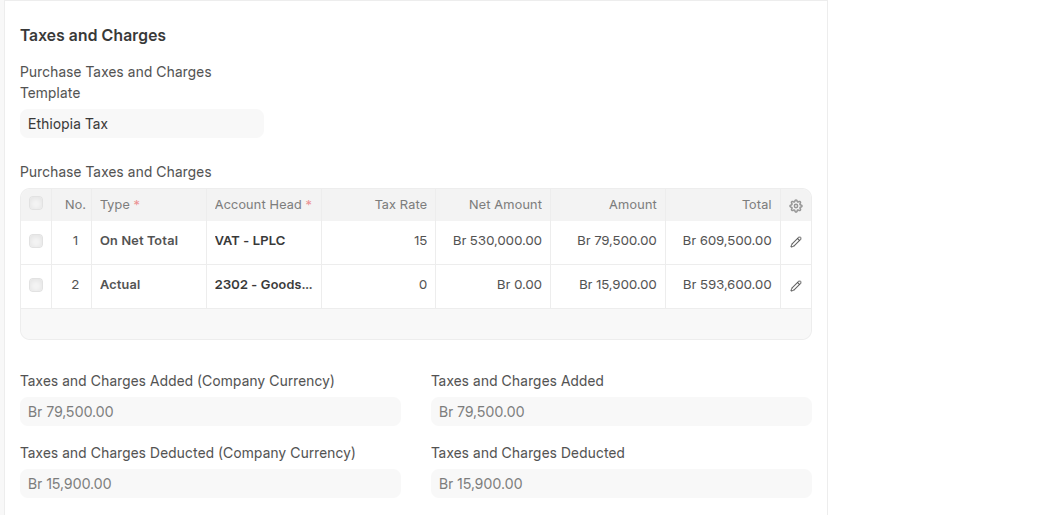
- Set Purchase taxes and charge template
- Click Save then Submit
Last updated 6 months ago
Was this helpful?