Compensatory Leave Request
Compensatory Leave Request is used to apply for leave granted for working on holidays or overtime.
The work dates must be part of the Holiday List, and attendance must be marked as Present.
To access Compensatory Leave Request, go to:
Login > Desktop > Human Resources > Leaves > Compensatory Leave Request
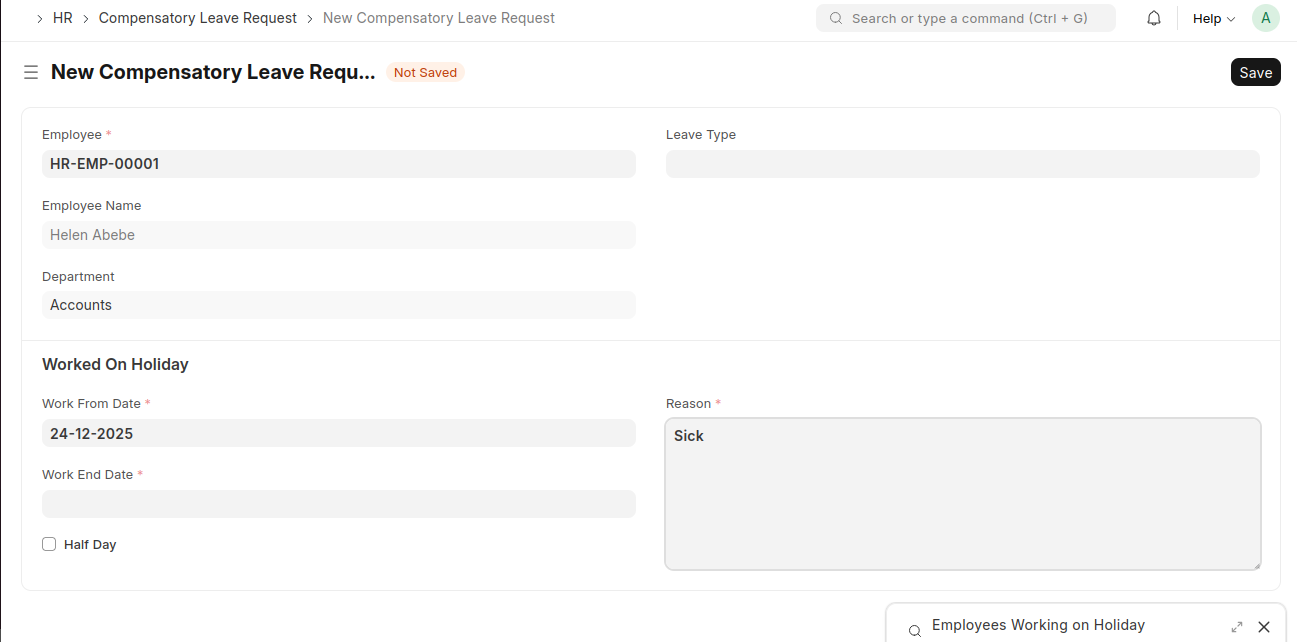
create a Compensatory Leave Request
- Go to the Compensatory Leave Request list and click Add Compensatory Leave Request.
- Select the Employee.
- Choose the Leave Type.
- Enter Work From Date and Work End Date.
- Enable Half Day if applicable.
- Add the Reason.
- Click Save and Submit.
Last updated 6 months ago
Was this helpful?