A Contact stores essential details such as phone numbers, email addresses, and company information. Contacts help facilitate communication and can be linked to multiple deals and organizations.
To access Contacts:
Login → Desktop → Frappe CRM → Contacts
Create Contact
Create a new contact in Frappe CRM:
- Go to Frappe CRM → Contacts.
- Click Create in the top-right corner.
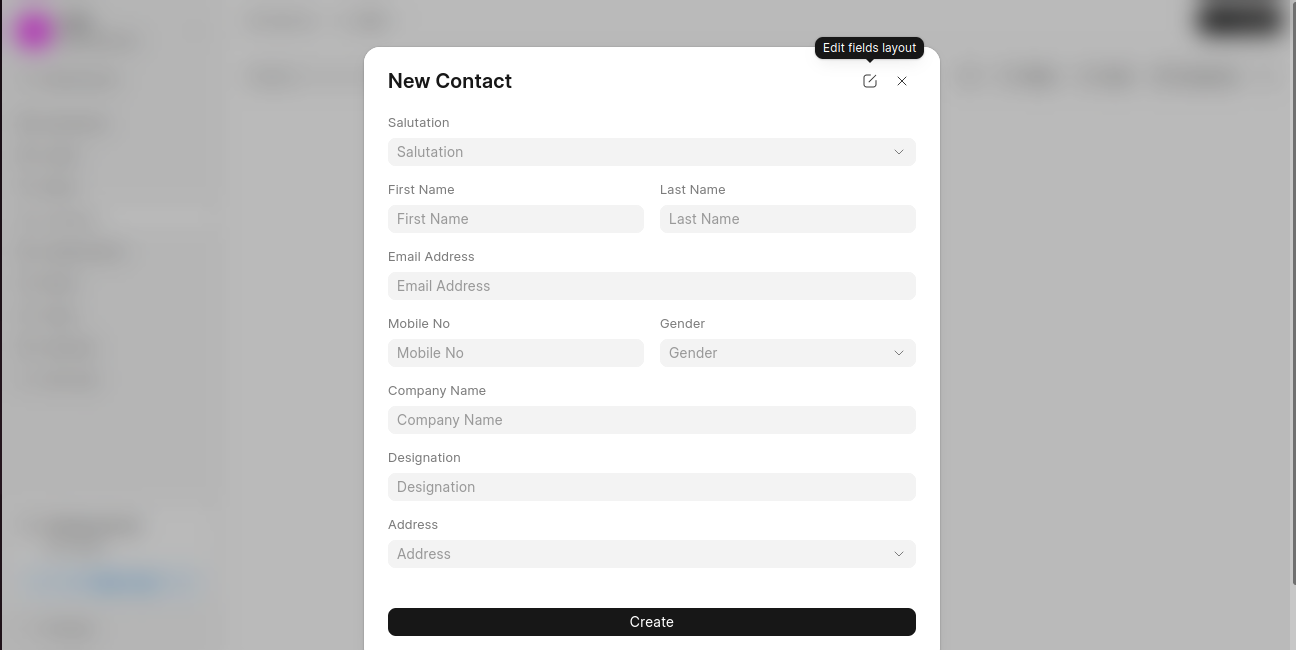
- In the New Contact dialog, enter the contact details:
- First Name
- Last Name
- Email Address
- Mobile No
- Optionally, provide additional information:
- Company Name
- Designation
- Gender
- Address
- Click Create to save the contact.
Last updated 6 months ago
Was this helpful?