A Production Plan helps in production and material planning for the Items planned for manufacturing. These production items can be committed via Sales Order (to Customers) or Material Requests.It helps the user to plan production against multiple Sales Orders or the Material Requests. Also, it helps in Material Procurement planning for the raw material item, based on the quantity of finished products to be manufactured.
TO Access:
Login to ERP > Desktop > Manufacturing > Production Plan
Create Production Plan
- Go to Production Plan
- Click Add Production Plan
- Select whether to get items from a Sales Order or a Material Request.
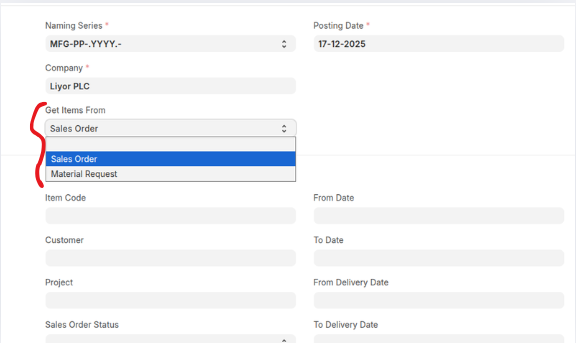 You can also Create prodcution plan with out sales order/material request.
 - Click on Get Sales Orders to fetch sales orders based on the above filters.
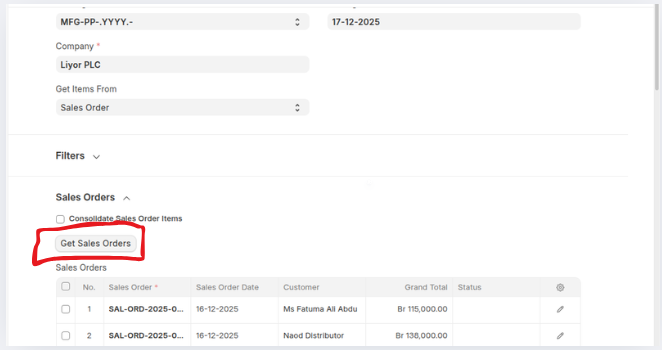
- Select an item to be manufacured using clicking get finished goods
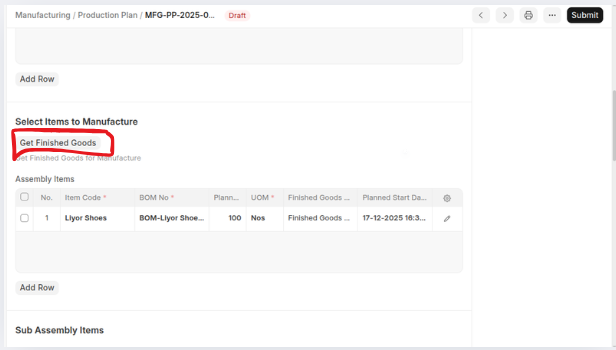
- If have Sub Assembly Items select Sub Assembly Warehouse and click get sub assembly items to fetch sub assemblies.
- In the raw material section you can get raw material for select manufactured goods by clicking either get items for purchase only or get items for purchase/transfer and select for warehouse then set the quantities of the raw materials.
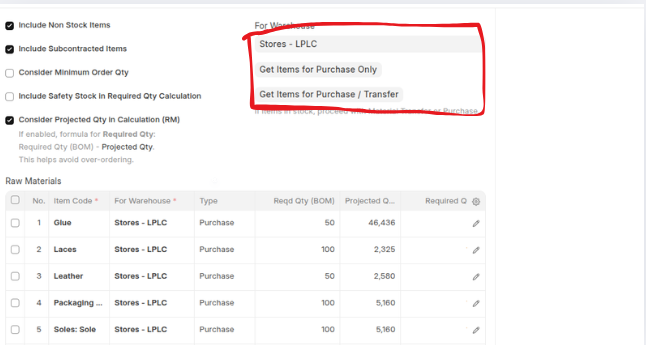
- click Save then Submit
Last updated 6 months ago
Was this helpful?