A Loyalty Program allows Customers to earn points by spending a certain amount and lets them redeem the points in future purchases.
To access:
Login to ERP > Desktop > Selling > Loyalty Program
How to create Loyalty Program
- Go to Loyalty Program
- Click Add Loyalty Program
- Enter Loyalty Program Name
- Select Loyalty Program type, and Set start Date end date of the program.
- Select the Customer Group and Territory for which this program is applicable, the default is all.
- Enable Auto Opt In (For all customers) if the program is for all customer.
- In the Collection Rule table, click Add row then set Tier Name, Collection factor and Minimum Total Spent. Collection factor define How much amount needs to be spent to gain 1 Loyalty Point.
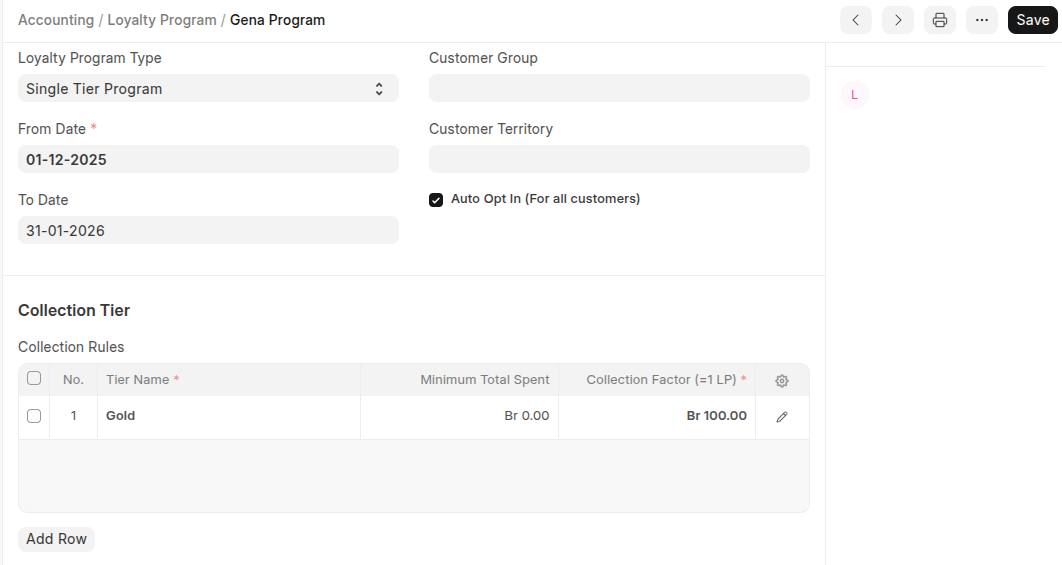
- Set Set the Conversion Factor. e.g. 100 Birr = 1 loyality point.
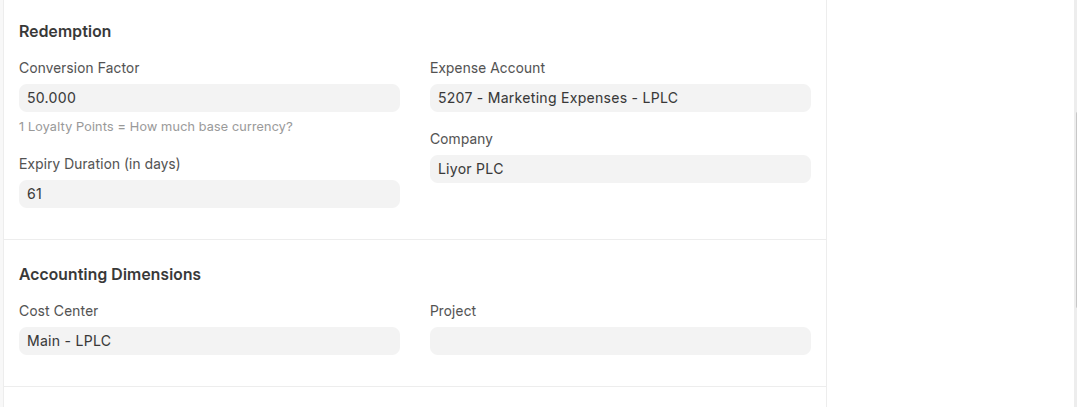
- Set Expiry Duration (in days), Expense Account and cost center.
- Click Save
Loyalty Points in Customer
Once the Loyalty Point Program is created, customers earn loyalty points when they purchase items or services within the program’s applicable date range. The earned points are calculated based on the Loyalty Point Program master settings and are displayed on the customer dashboard.
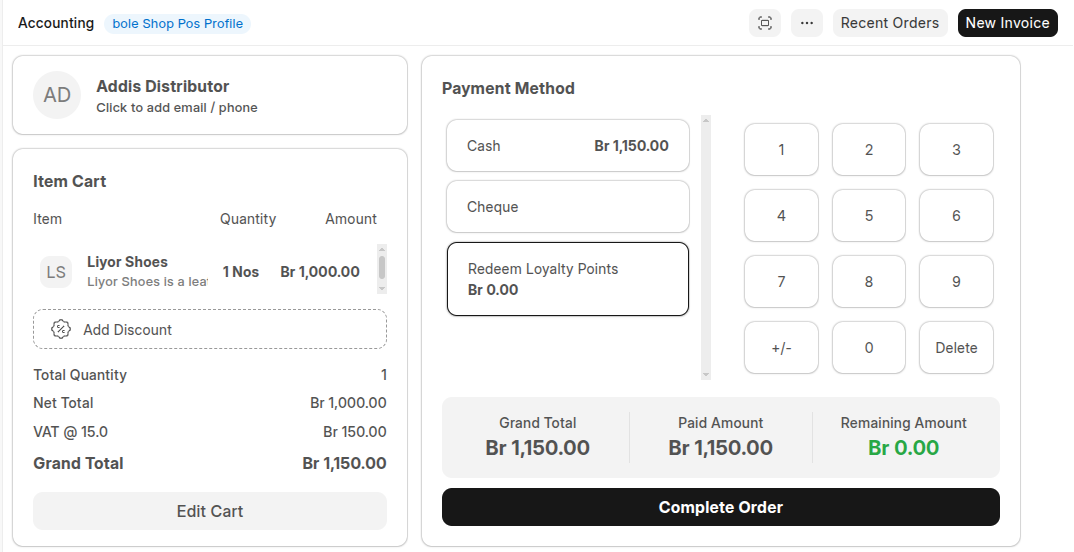
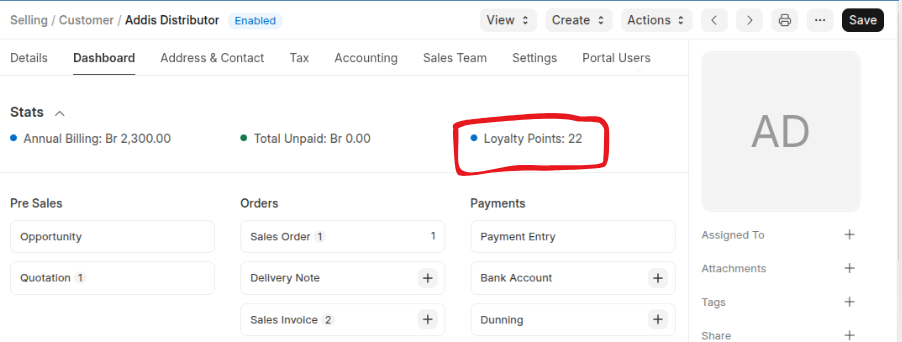 In addition to being visible in the Customer Master, customer loyalty points are also available in the Point of Sale as a payment method.
Last updated 6 months ago
Was this helpful?