Accounting Dimension
Dimensional accounting means tagging each transaction with appropriate dimensions like Branch, Business Unit, etc. This allows you to maintain each segment separately, thereby limiting the overall maintenance on GL accounts and your Chart of Accounts remains pure.
To Access Accounting Dimension
Login to ERP > Desktop > Accounting > Accounting Dimension
Add Accounting dimension
- Go to Accounting Dimension
- Press Add Accounting Dimension
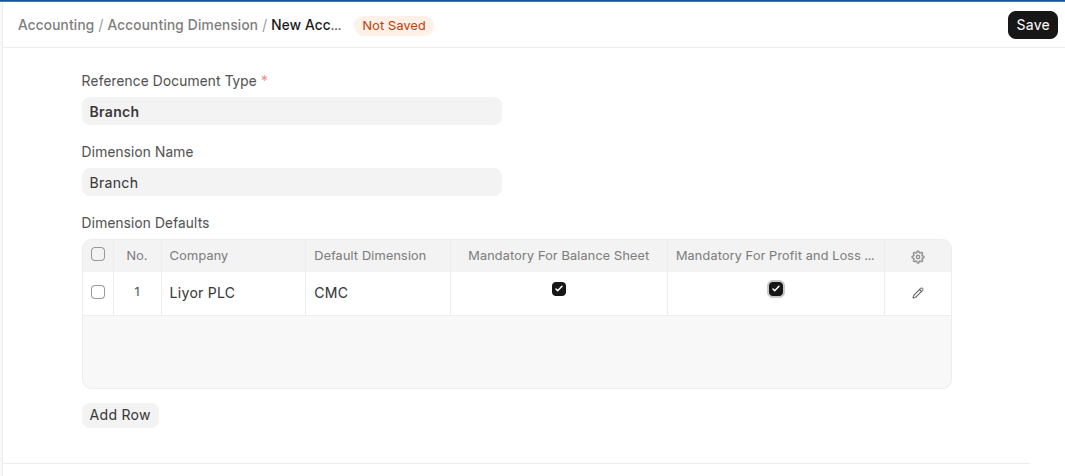
- Select the Reference Document Type which you want to use as a custom dimension.
- Enter the name of the dimension
- Inside the Dimension Defaults table you can mention company specific default dimension and Check "Mandatory" checkbox if you want the dimension to be mandatory in the transactions.
Click Save
Last updated 6 months ago
Was this helpful?