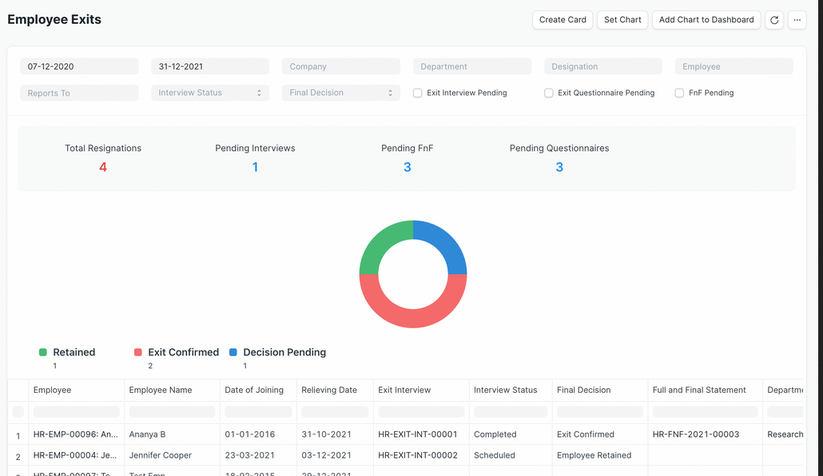
The Employee Exits module provides a summary of employees who have left the organization. It includes details like employee information, exit interview status, final decision, and full and final settlement status.
To access Employee Exits, go to:
Login > Desktop > Human Resources > Employee Exits
To use Employee Exits
- Set the From Date and To Date for the exit records.
- Filter by Reports To, Interview Status, and Final Decision.
- Use additional filters like Exit Interview Pending, Exit Questionnaire Pending, or FnF Pending to track pending processes.
Last updated 6 months ago
Was this helpful?