Coupon Code allows a Customer to avail discount on shoppping cart products.
To Access:
Login to ERP > Desktop > Selling > Coupon Code
Create Coupon Code for Promotional
- Go to Coupon Code
- Click Add Coupon Code
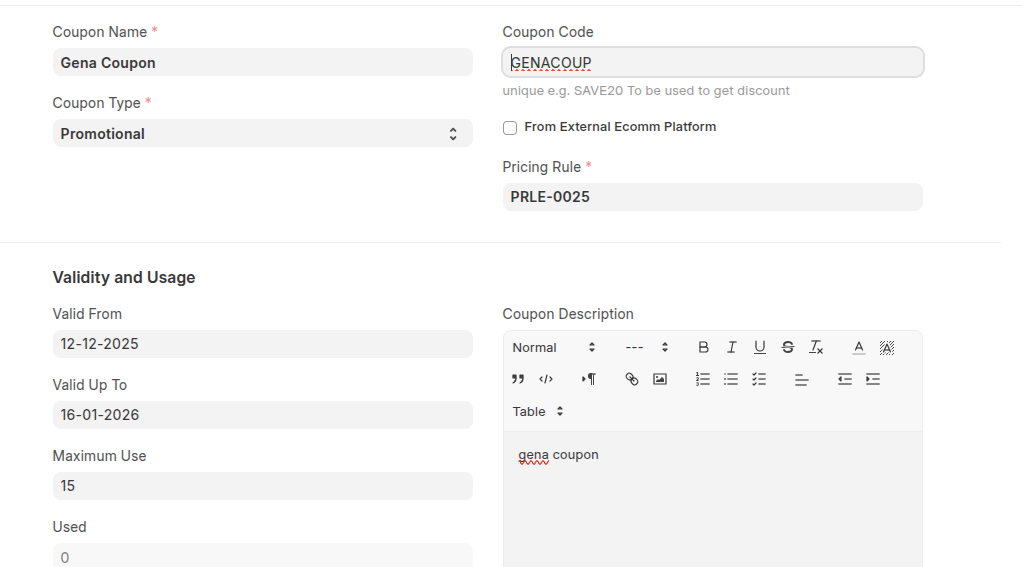
- Set Coupon Name and the system set coupn code automaticaly you can change it.
- Select Promotional in the Coupon Type and enter Pricing Rule
- Set Validity and Usage details
- Click Save
How to Create Coupon Code for Gift Card
- Go to Coupon Code
- Click Add Coupon Code
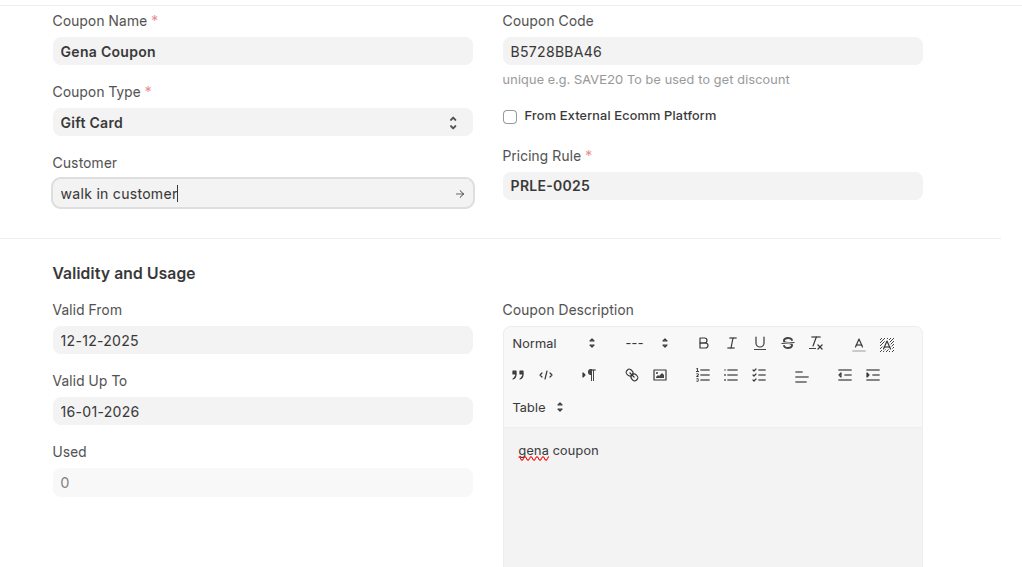
- Set Coupon Name and also Coupon Code(optional)
- Select Gift Card in the Coupon Type and enter Pricing Rule
- Select Customer
- Set Validity and Usage details
- Click Save
Last updated 6 months ago
Was this helpful?