Quality Inspection Template
A Quality Inspection Template is a predefined set of inspection parameters used to standardize and automate quality checks for items or processes.
To Access: Login to ERP > Desktop > Quality > Quality Feedback Template
Create Quality Inspection Template
- Go to Quality Inspection Template
- Click Quality Inspection Template
- Set Quality Inspection Template Name
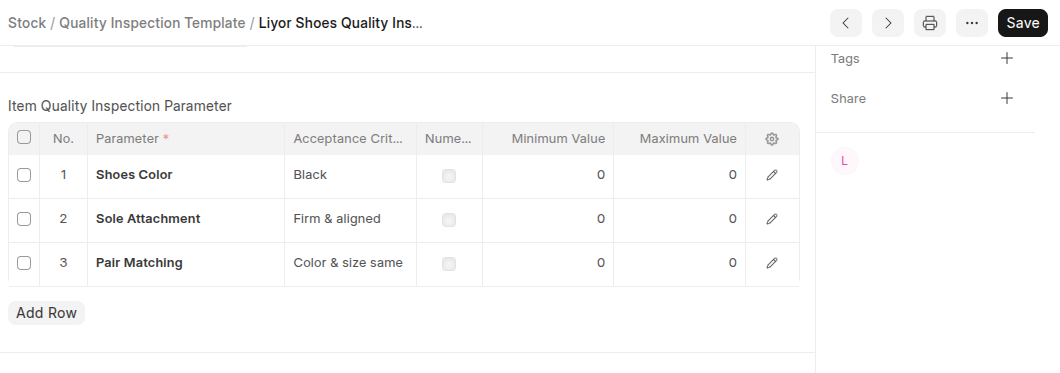
- In the Parameters table click Add Row then list All Quality inspection Parameters with thier acceptance criteria.
- Click Save
Last updated 6 months ago
Was this helpful?