A Workstation stores information regarding the place where the workstation operations are carried out. Data regarding the operation cost, rent, electricity can be stored here.
To Access:
Login to ERP > Desktop > Manufacturing > Workstation
Create Workstation
- Go to Workstation
- Click Add Workstation
- Set Workstation Name
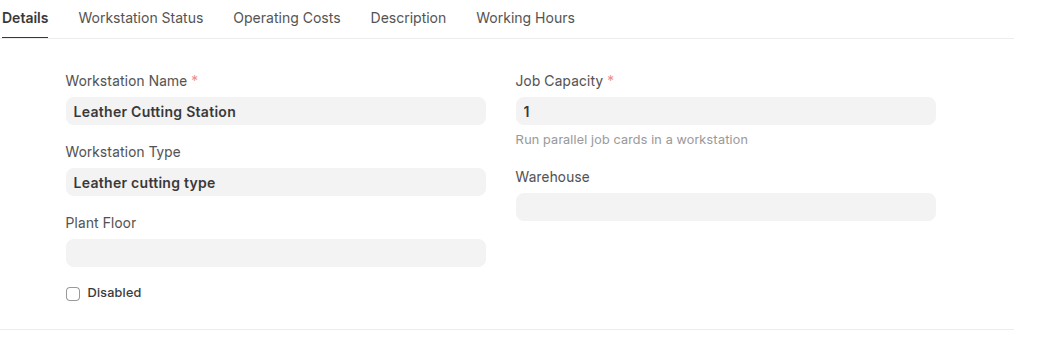
- Select the Workstation Type (if applicable). When selected, all operation costs will be fetched automatically, if provided Workstation Type was created with operation costs.
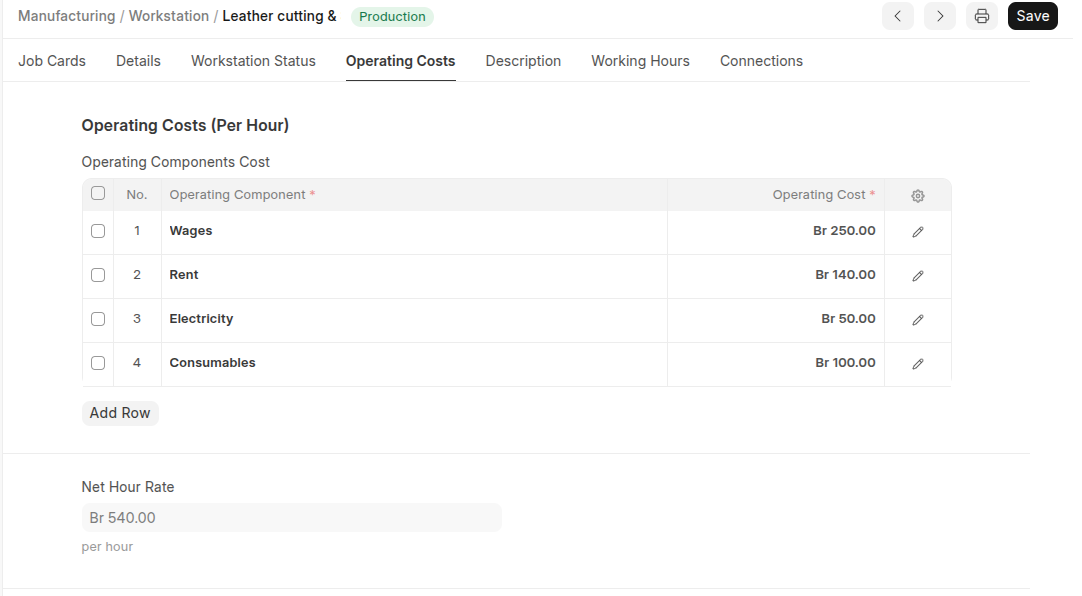
- Under Operating Cost section click add row then select all Operating Components and set thier Costs.
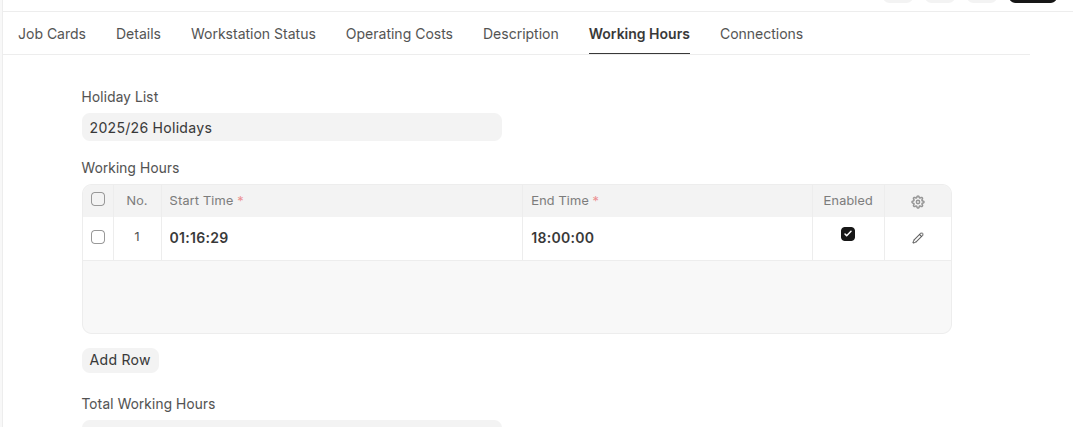
- Select Holiday and set start time and end time working hours in the Working Hours section.
- You can select status and attach documents in the workstation status section.
- Click Save.
Last updated 6 months ago
Was this helpful?