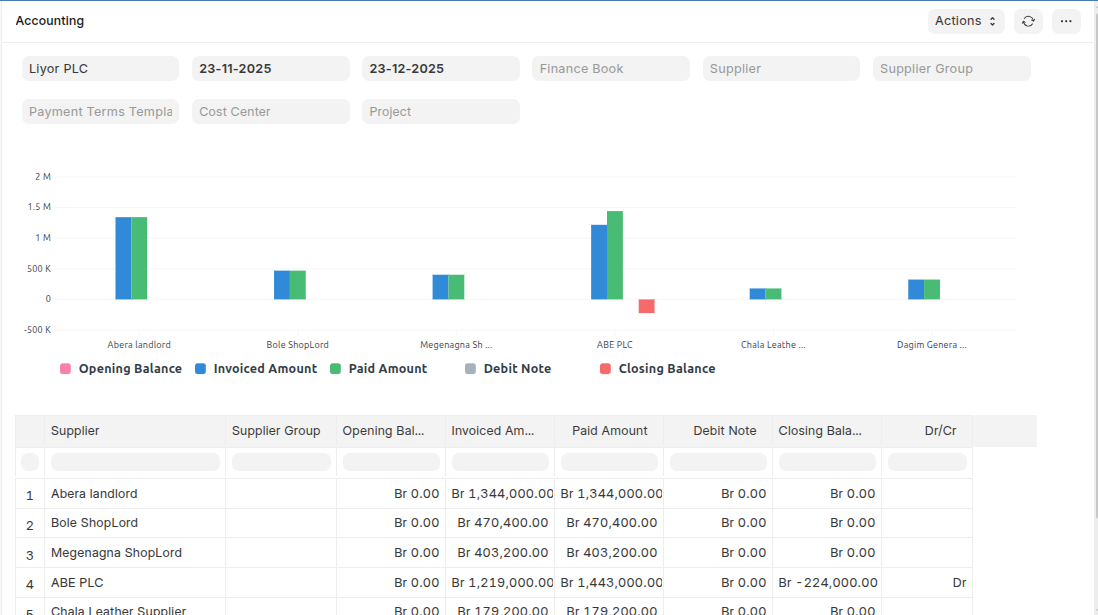
Accounts receivable
Accounts receivable tracks the money owed to the company by its customers for goods or services provided on credit. This feature helps streamline invoicing, payment tracking, and ultimately, cash flow management.
To Access:
Login to ERP > Desktop > Receivables > Accounts receivable
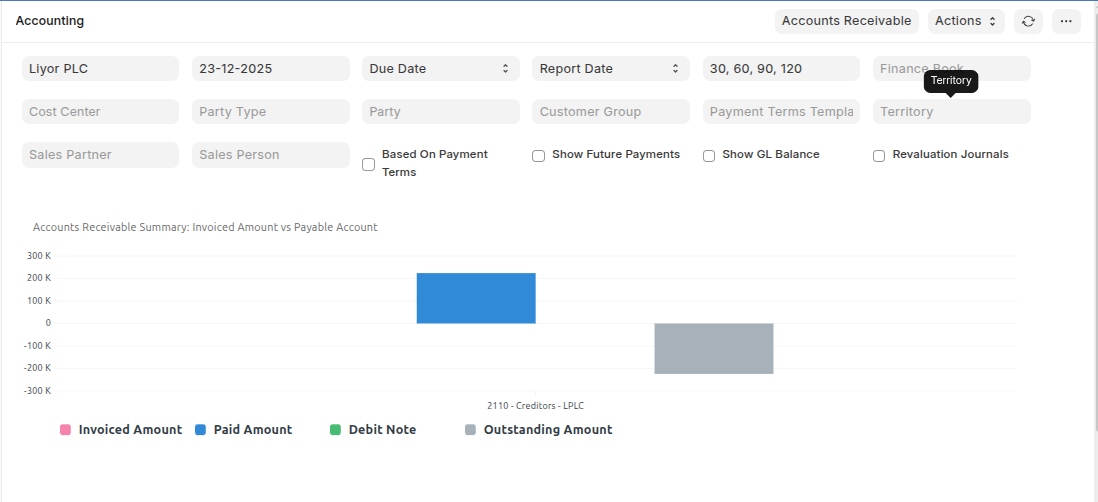
Sales Register
The Sales Register report shows all the Sales transactions for a given period with invoiced amount and tax details. In this report, each taxes has a separate column, so you can easily get total taxes collected for a period for each individual tax type, which helps to pay the taxes to government.
To Access:
Login to ERP > Desktop > Receivables > Sales Register
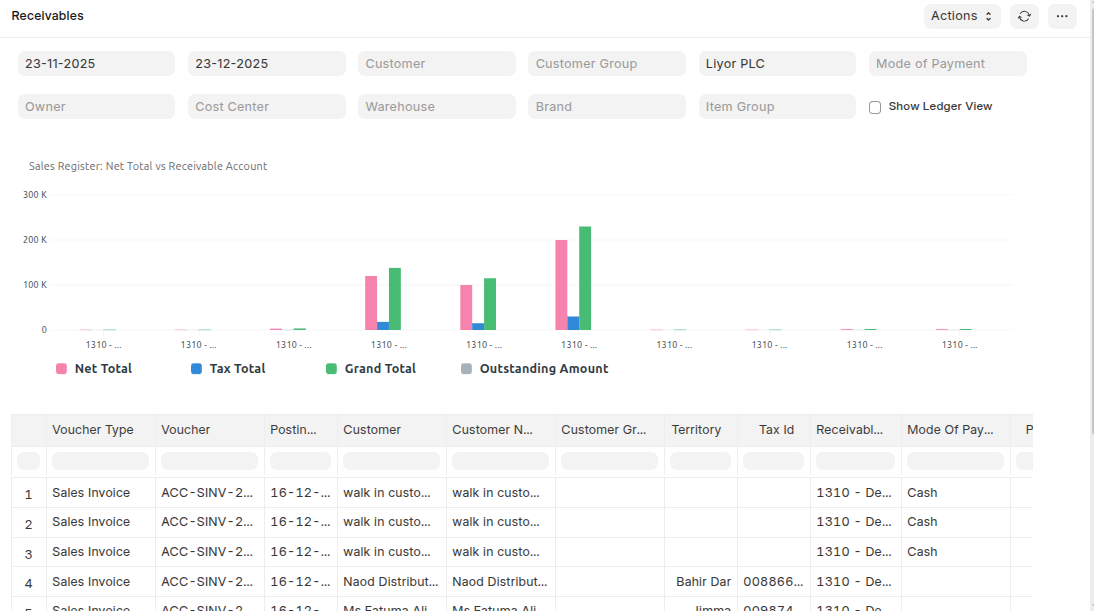
Item-wise Sales Register
The Item Wise Sales Register report shows all the Sales transactions for a given period with item rate, quantity, amount and tax details. In this report, taxes has a separate column, so you can easily get individual taxes for each individual item. From this report you can have a look of which items are sold most.
To Access:
Login to ERP > Desktop > Receivables > Item-wise Sales Register
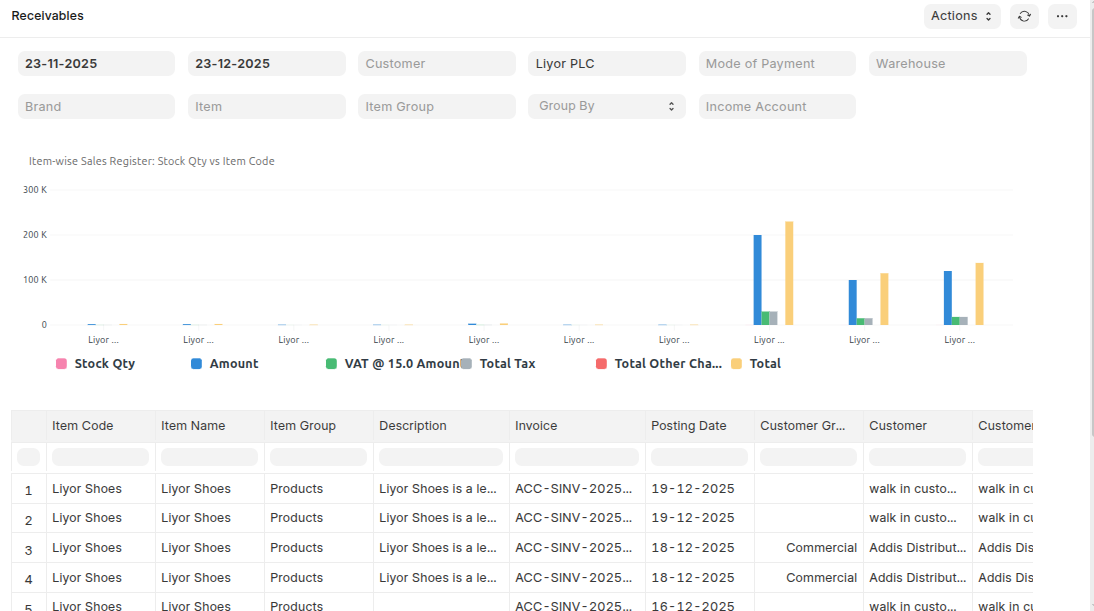
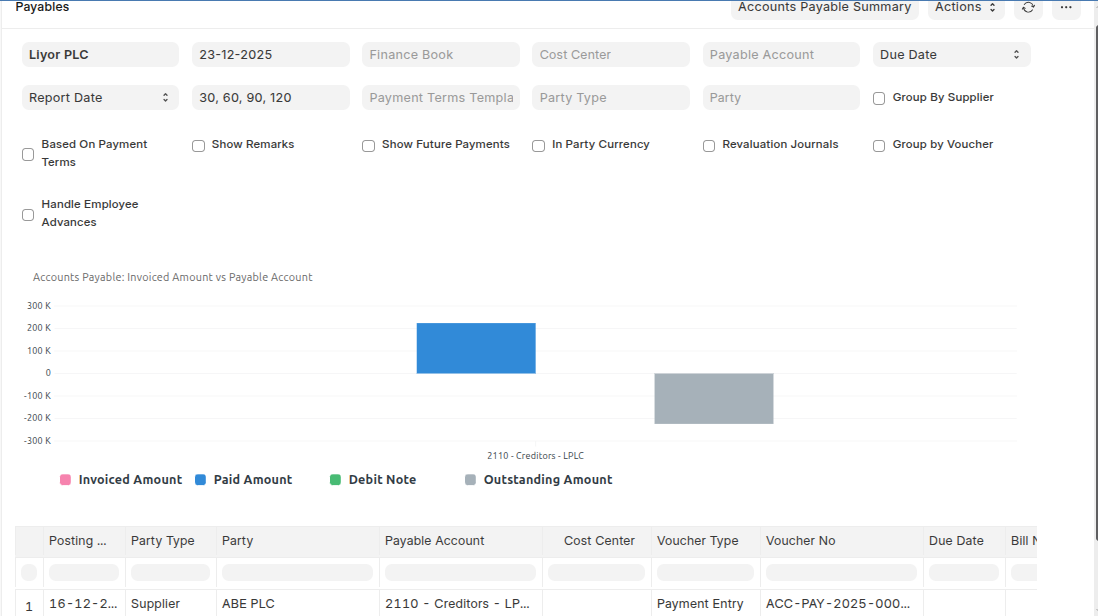
Accounts payable
Accounts payable monitors the money owed by the company to its suppliers or vendors. It facilitates the management of bills, outgoing payments, and ensures timely settlement to maintain healthy vendor relationships.
To Access:
Login to ERP > Desktop > payables > Accounts payable
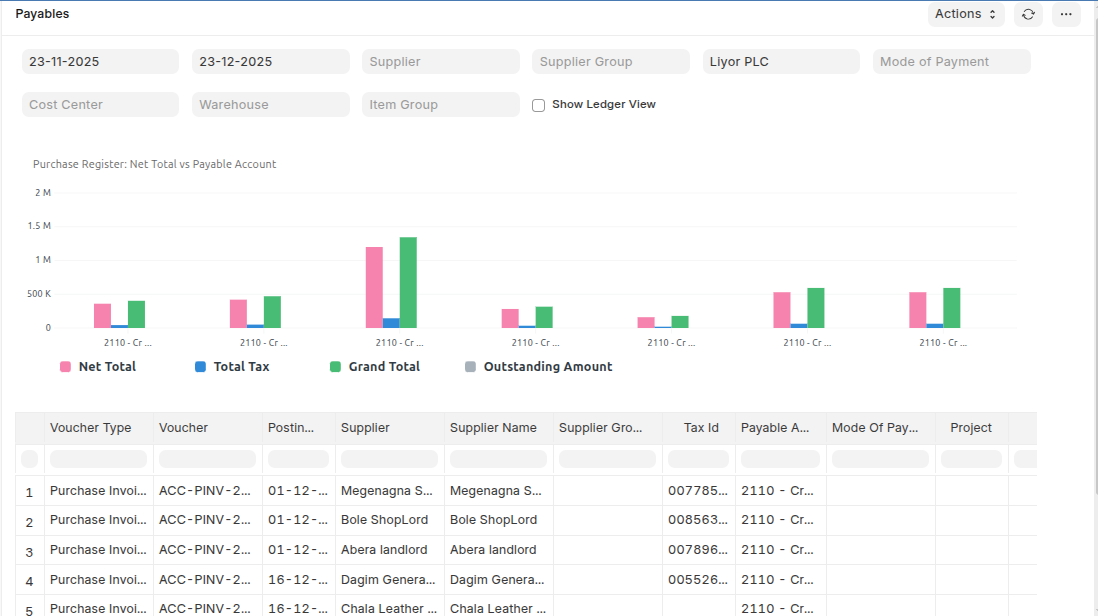
Purchase Register
The Purchase Register report shows all the Purchase transactions for a given period with invoiced amount and tax details. In this report, each taxes has a separate column, so you can easily get total taxes collected / paid for a period for each individual tax type, which helps to pay the taxes to government.
To Access:
Login to ERP > Desktop > Receivables > Purchase Register
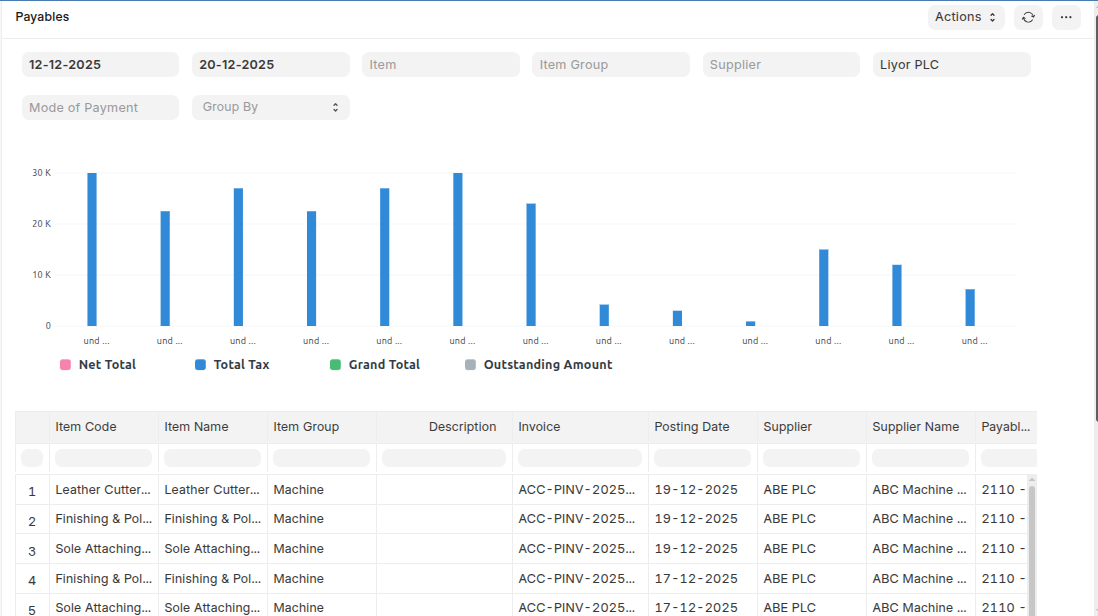
Item-wise Purchase Register
The Item Wise Purchase Register report shows all the Purchase transactions for a given period with item rate, quantity, amount and tax details. In this report, taxes has a separate column, so you can easily get individual taxes for each individual item. From this report you can have a look of which items are purchase most.
To Access:
Login to ERP > Desktop > payables > Item-wise Purchase Register
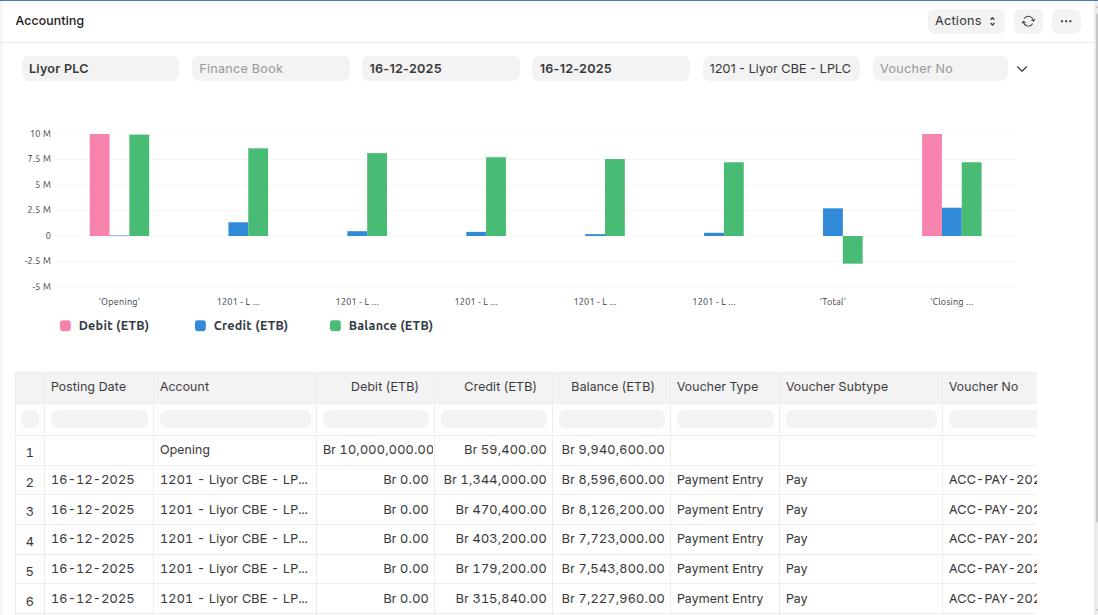
General Ledger
The General Ledger is a detailed report for all transactions posted to each account and for every transaction there is a Credit and Debit account so it lists them all up.This report is based on the table GL Entry and can be filtered by many pre-defined filters like Account, Cost Centers, Party, Project and Period etc. This helps you to get a full update for all entries posted in a period against any account.
To Access:
Login to ERP > Desktop > Financial Reports > Ledgers > General Ledger
Customer Ledger
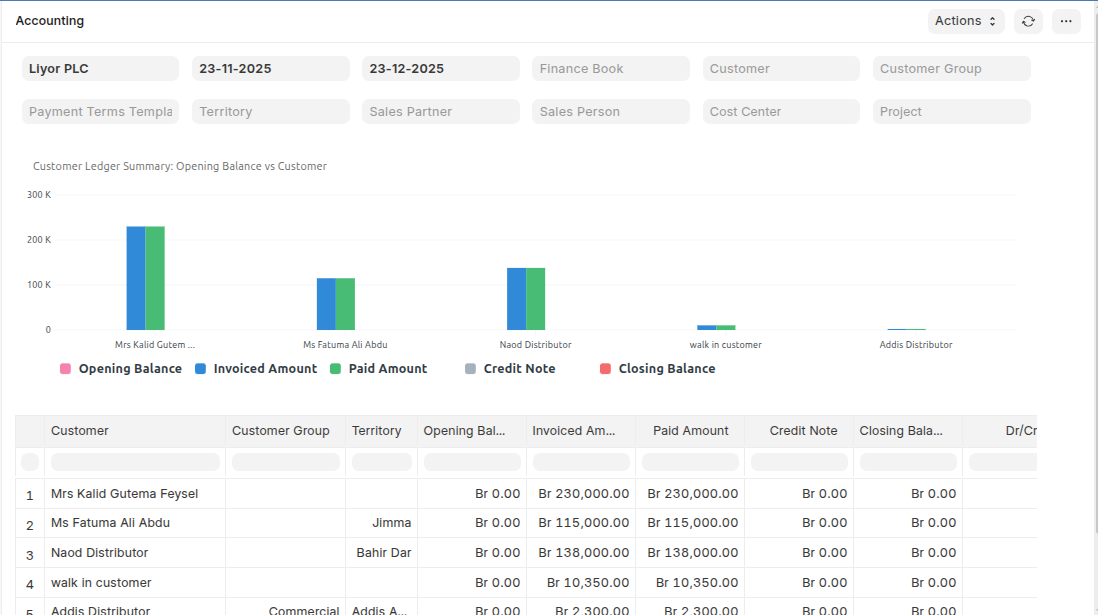
This report shows all accounting transactions related to a specific customer, including invoices, payments, credit/debit notes, and journal entries, along with opening balance, debits, credits, and running balance for a selected period.
To Access:
Login to ERP > Desktop > Financial Reports > Ledgers > Customer Ledger
Supplier Ledger
This report displays all accounting transactions related to a specific supplier, including purchase invoices, payments, debit/credit notes, and journal entries, showing the opening balance, debits, credits, and running balance for a selected period.
To Access:
Login to ERP > Desktop > Financial Reports > Ledgers > Supplier Ledger