Service Level Agreement
A service level agreement (SLA) is a contract between a service provider (either internal or external) and the end user on the level of service expected from the service provider.
To Access: Login to ERP > Desktop > Support > Service Level Agreement
Create Service Level Agreement
Before creating and using a Service Level Agreement, it is advised that enable Track Service Level Agreement in Support Settings.
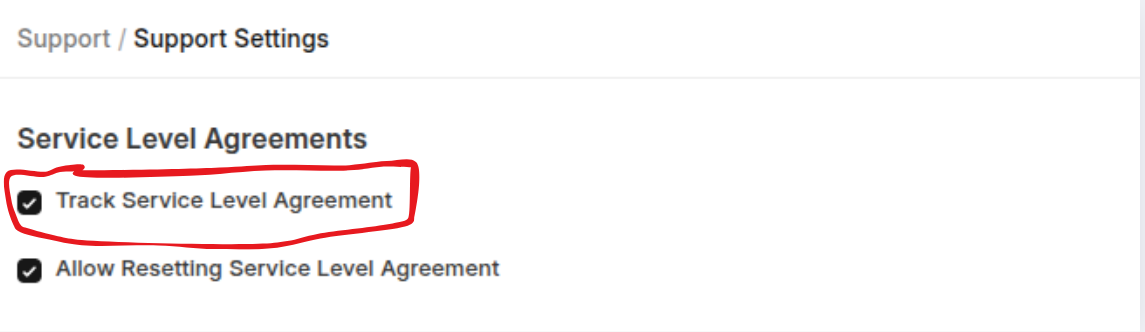
- Go to Service Level Agreement
- Click Add Service Level Agreement
- Set Apply On and Service level name
- Select Entity Type: Service Level Agreements can be assigned to a Customer/Customer Group/Territory enabling you to apply Service Level Agreement based on these factors.
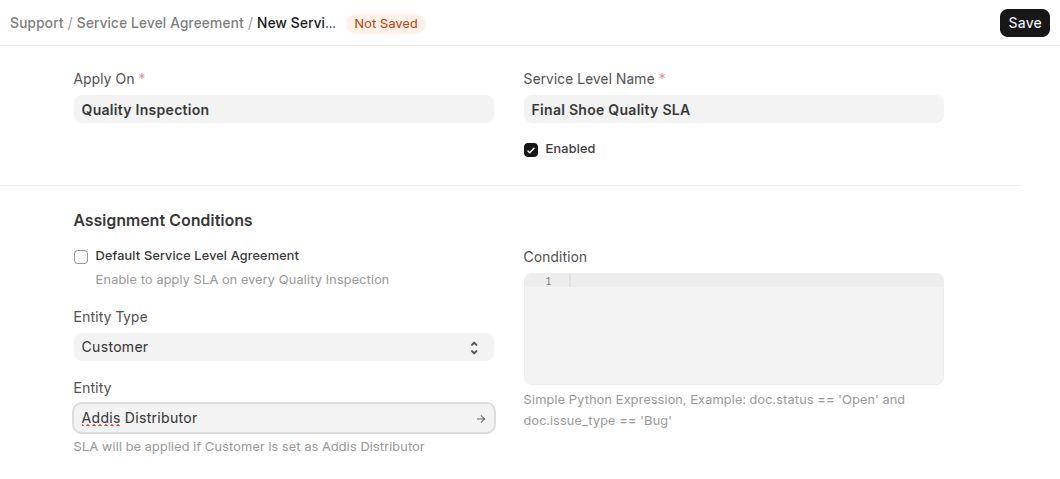
- Select Entity: Select the specific Customer/Customer Group/Territory.
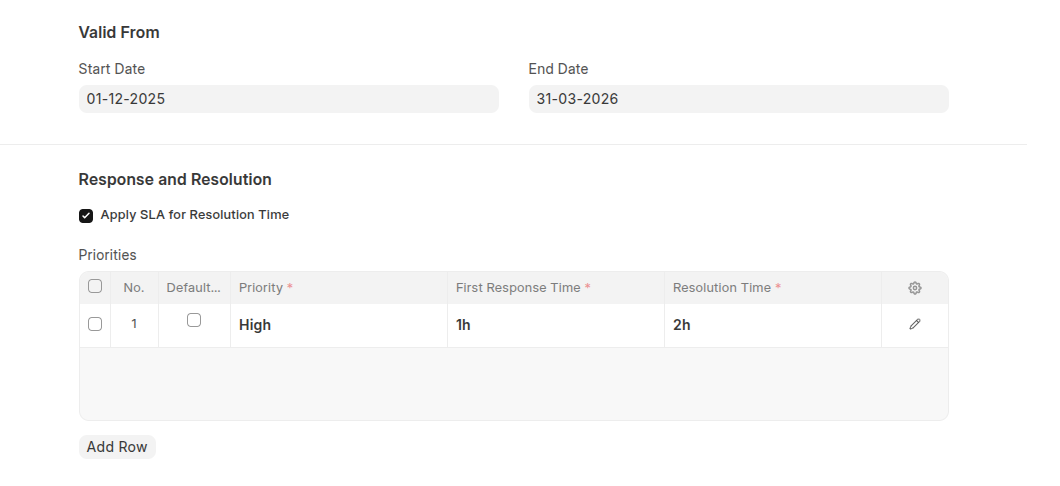
- Set Valid start and end date
- In the Response and Resolution section at Priorities add priories with thier first resolution time nad resoultion time.
- Select Holiday list
- Add Working Hours with thier Start time and End time
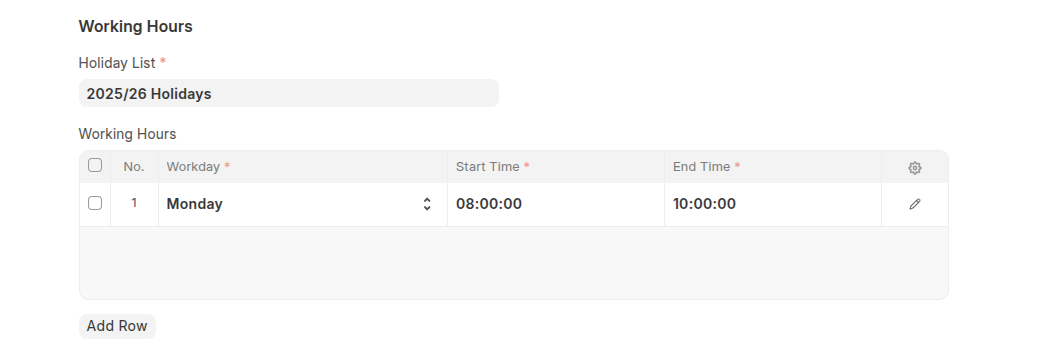
- Click Save.
Last updated 6 months ago
Was this helpful?