An Item Group is a way to classify items based on types.
To Access:
Login to ERP > Desktop > Stock > Item Group
Create Item Group
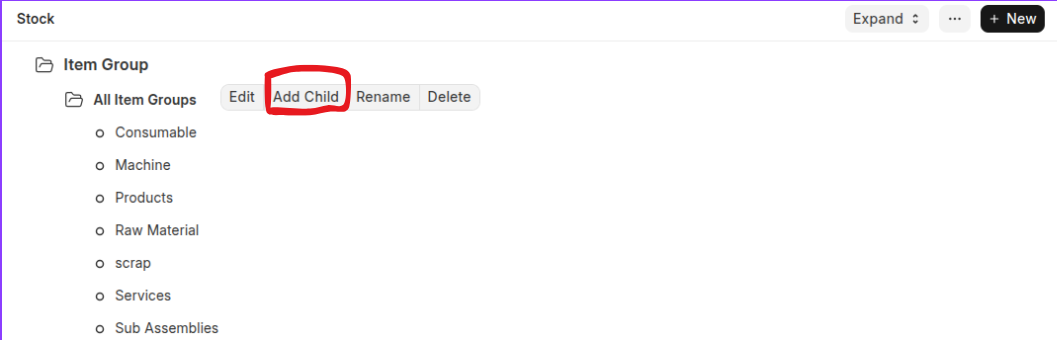
- Go to Item Group
- Select a Customer node under which you wish to create the Customer Group.
- Select 'Add Child' or click on the New button.
- To make this child a category group, tick on Is Group
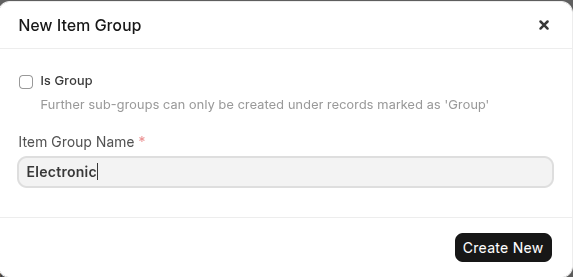 .
. - Click Create New
Last updated 6 months ago
Was this helpful?