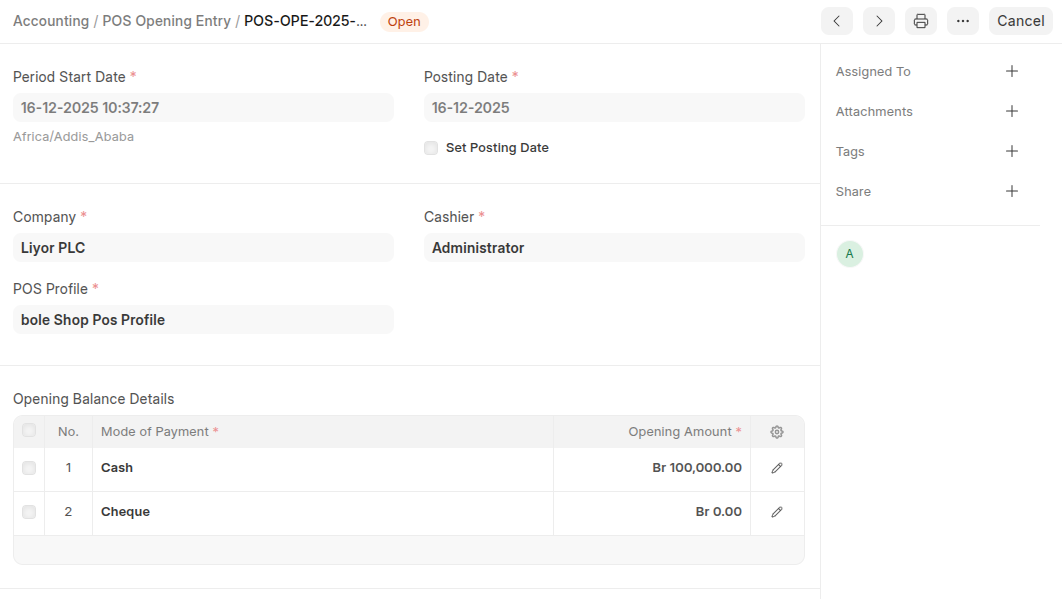
POS Opening Entry is used to start a POS session by assigning the cashier, opening date and time, and recording the opening cash and POS Profile.
To access:
Login to ERP > Desktop > Selling > POS Opening Entry
Create POS Opening Entry
- Go to POS Opening Entry
- Click Add POS Opening Entry
- Set Period Start Date and Select POS Profile and Cashier
- Click Add row then select Payment method then add Opening Amount in the Opening Balance Details table
- Click Save
Last updated 6 months ago
Was this helpful?