A Sales Order is a confirmation of an order from your customer.
To Access:
Login to ERP > Desktop > Selling > Sales Order
Create Sales Order
- Go to Sales Order
- Click Add Sales Order
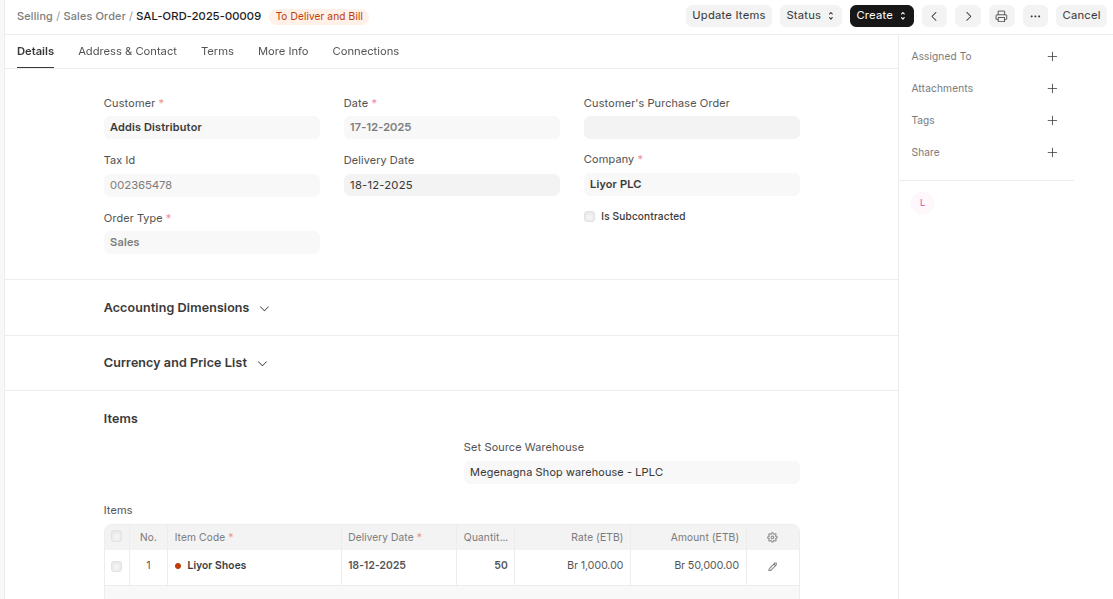
- Select Customer, Set date and Delivery Date
- Select Cost Center In the Accounting Dimenstion section
- Enter the items and quantities to be delivered in the Item table.
- Select Sales Taxes and Charges Template in the Tax Section
- Under discount Section set the discount either by percantage or amount if applicable
- Click Save
Last updated 6 months ago
Was this helpful?