A Job Requisition is an internal document used to request approval for hiring new employees.
It is used as a reference to create Job Openings and for workforce planning.
To access Job Requisition, go to:
Login > Desktop > Recruitment > Job Requisition
Create a Job Requisition
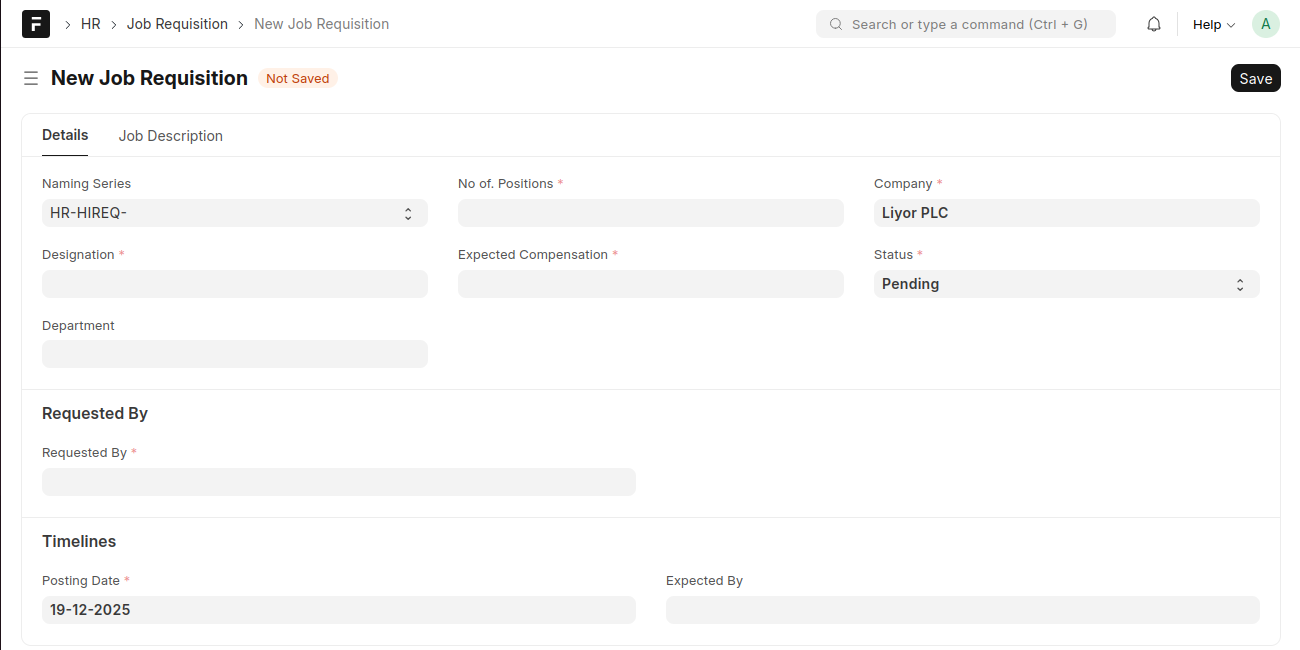
- Click Add Job Requisition.
- Select the Naming Series.
- Enter the Designation.
- Specify the No. of Positions.
- Enter the Expected Compensation.
- Select the Company.
- Set the Status.
- (Optional) Select the Department.
- In the Requested By section, select the requester.
- Set the Posting Date and Expected By date.
- Click Save.
Last updated 6 months ago
Was this helpful?