Employee Leave Balance
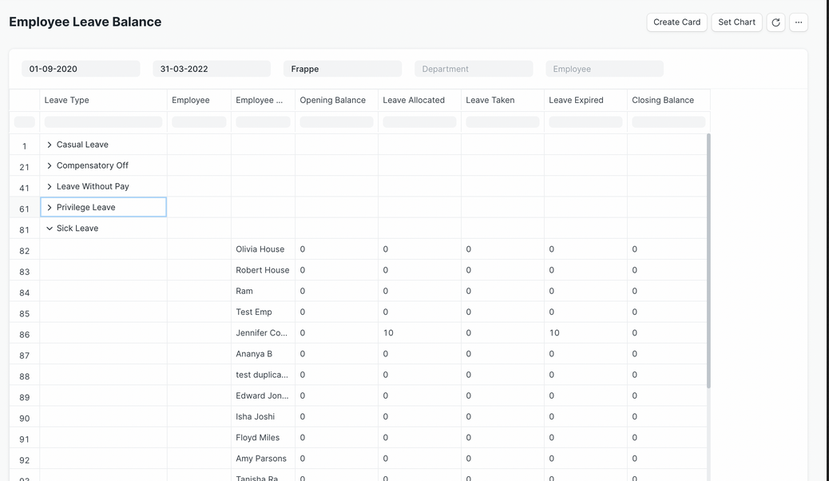
The Employee Leave Balance module shows the leave balance for employees over a specified period. It allows filtering by date range, department, employee, and active status.
To access Employee Leave Balance, go to:
Login > Desktop > Human Resources > Employee Leave Balance
To use Employee Leave Balance
- Set the From Date and To Date for the period you want to check.
- Select the Company, Department, and Employee (optional).
- Check Consolidate Leave Types to combine leave balances.
Last updated 6 months ago
Was this helpful?