A Maintenance Visit is a visit made by an engineer to a Customer’s premise for maintenance work of an Item.
To Access: Login to ERP > Desktop > Support > Maintenance Visit
Create Maintenance Visit
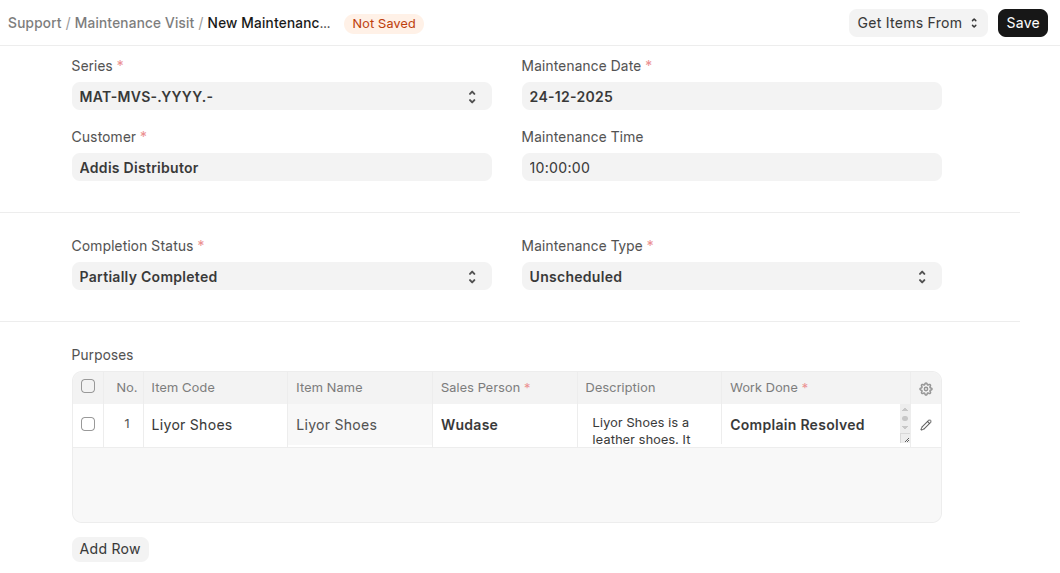
- Go to Maintenance Visit
- Click Add Maintenance Visit
- Select Customer
- Set Maintenance Time
- Select Completion Status and Maintenance Type
- In the Purposes table Select Items, enter a Description of the maintenance, select the Sales Person performing the maintenance, and enter the work done.
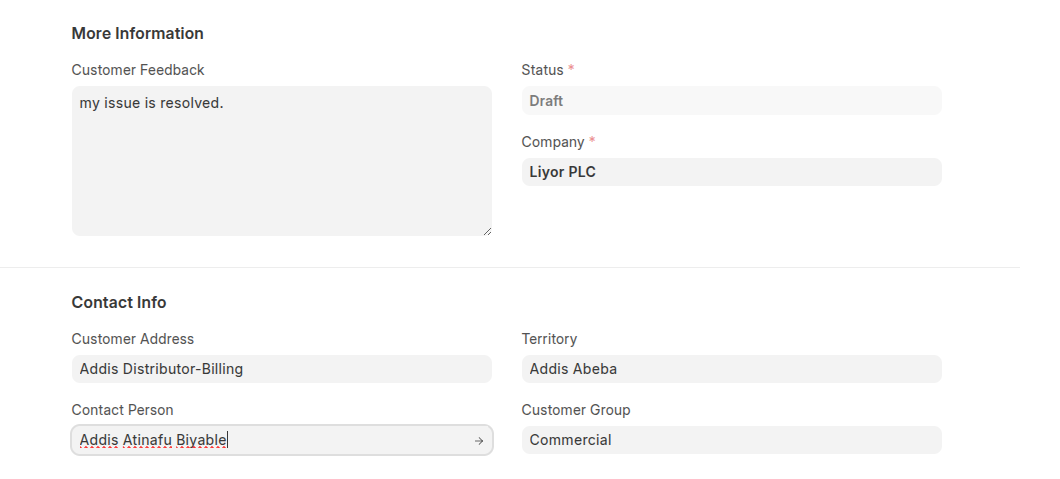
- You can Add customer feedback in the more inforamtion setion and select contact person in the contact info section.
- Click Save then Submit
Last updated 6 months ago
Was this helpful?