Batch feature allows you to group multiple units of an Item and assign them a unique value/number/tag.
To Access:
login to ERP > Desktop > Selling > Batch
Create Batch
Before creating and using a Batch, it is advised that you create an Item with Enable 'Has Batch No' in the Item master.
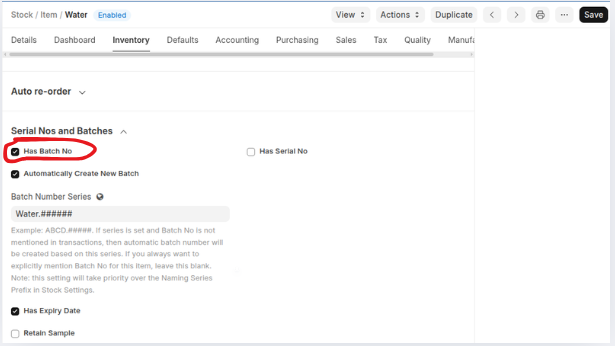 Batch Number are auto-created when transactions are made against a batched Item. This works only when Has batch No is enabled and a series is set in the Item master.
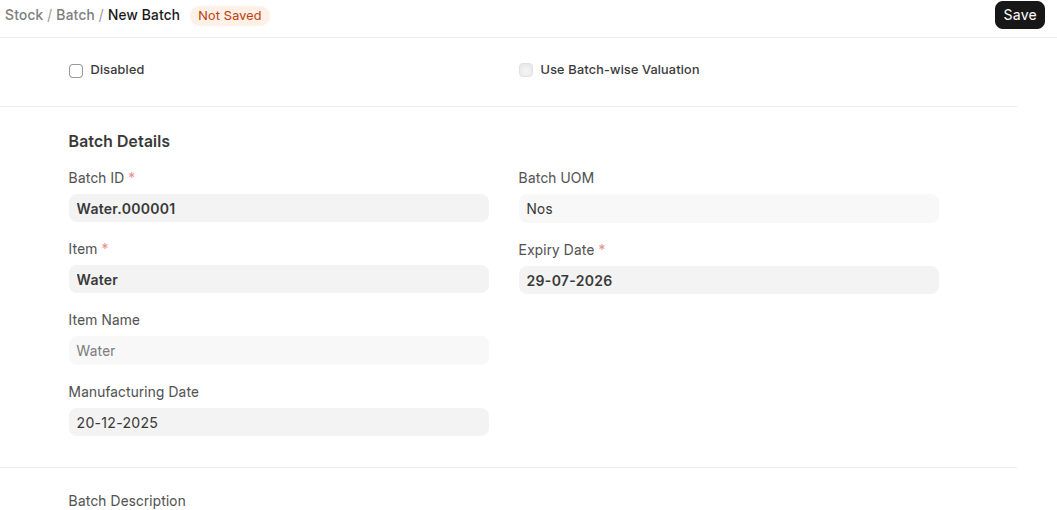
However you can create batch number manually using below steps:
- Go to the Batch list, click on Add Batch.
- Set the Batch ID.
- Select the Item.
- Save.
Last updated 6 months ago
Was this helpful?