A Delivery Note is made when a shipment is shipped from the company’s Warehouse to the customer.
To access: Login to ERP > Desktop > Stock > Delivery Note
Create Delivery Note
Before creating and using a Delivery Note, it is advised that you create Sales Order.
- Go to Delivery Note
- Click Add Delivary Note
- Select Customer
- Under Accounting Dimensions select cost center
- In the Delivery Note Item table click Add row to add items then set quantity and source warehouse.
- Taxes and Charges section select Sales Taxes and Charges Template
- Click Save then Submit
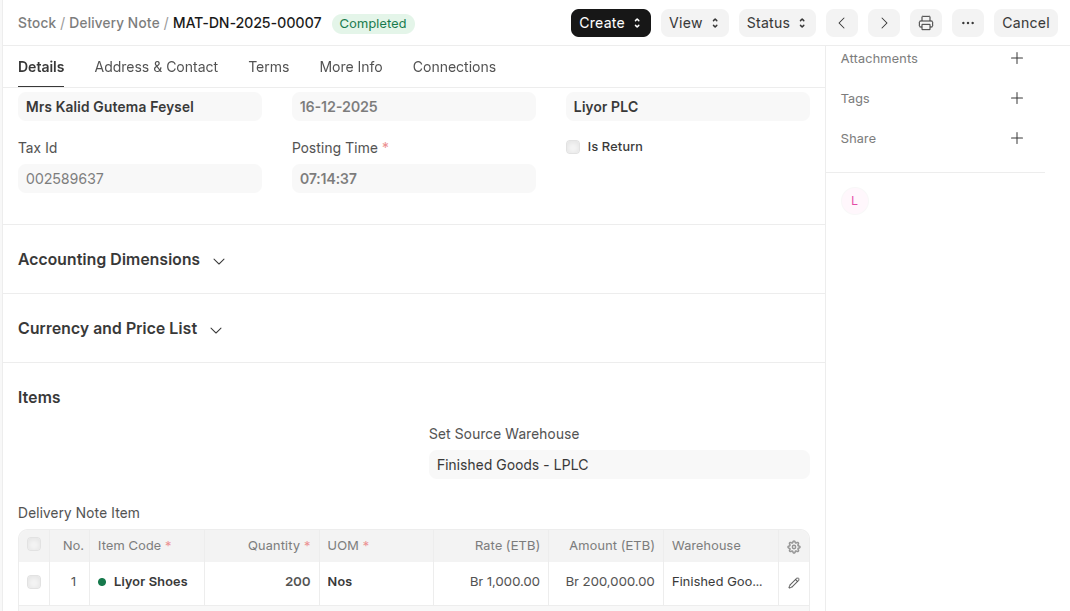 Statuses: These are the statuses a Delivery Note can be in:
- Draft: A draft is saved but yet to be submitted to the system.
- To Bill: Yet to be billed using a Sales Invoice.
- Completed: Submitted and sent all the Items.
- Return Issued: All the Items have been returned.
- Cancelled: Cancelled the Delivery Note.
- Closed: The purpose of the Close is to manage short-closing.
Last updated 6 months ago
Was this helpful?