An Asset is any valuable Item owned by a Company. Asset record is the heart of asset management module. All the transactions related to an Asset like purchasing, depreciation, maintenance, movement, scrapping, sales will be recorded against the Asset record.
To Access Asset:
Login to ERP > Desktop > Assets > Asset
Create Asset
Before createing asset you have to create Asset Category and create an Item with 'Is Fixed Asset' enabled.
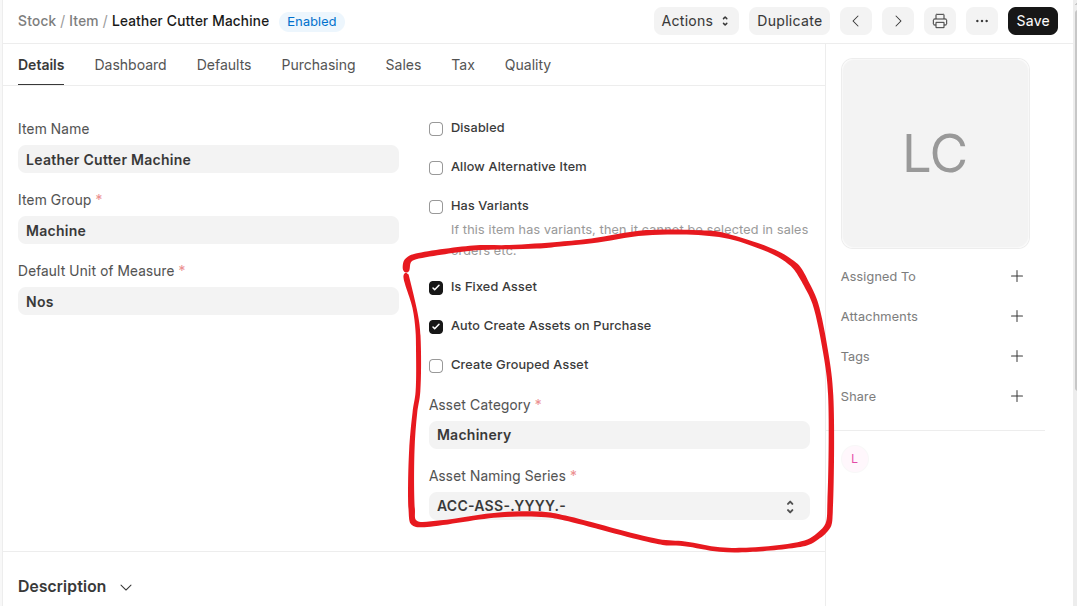
- Go to Asset
- Click Add Asset
- Select Item code and location
- Select Asset owner (company, supplier, customer)
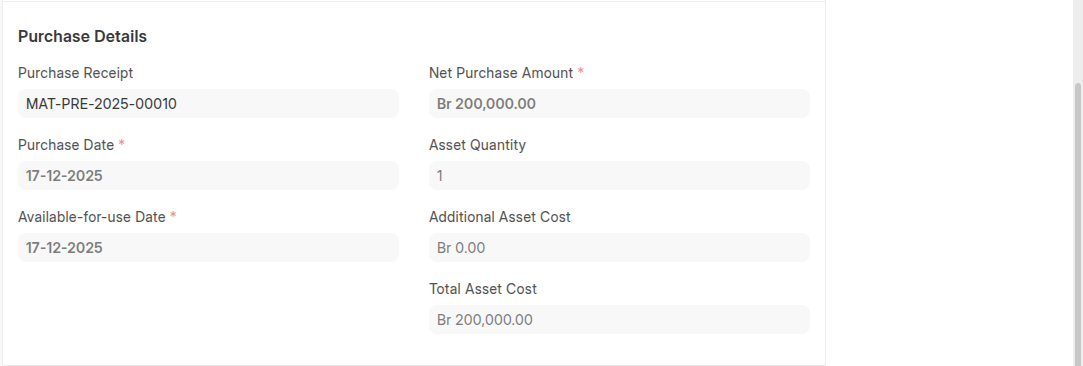
- Select the Purchase Receipt/Purchase Invoice.Purchase Date and Gross Purchase Amount will be fetched automatically.
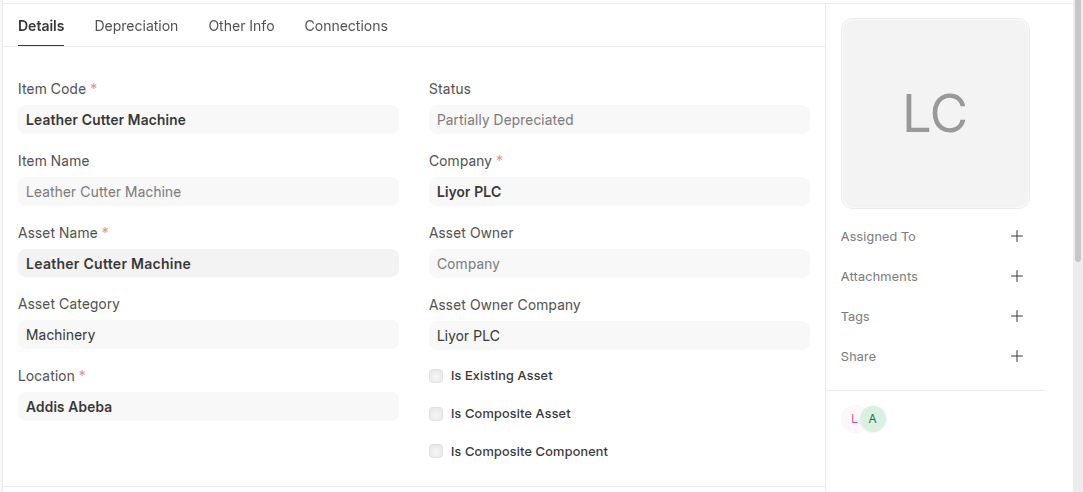
- Set Available-for-use Date. The depreciation will be calculated starting from this date.
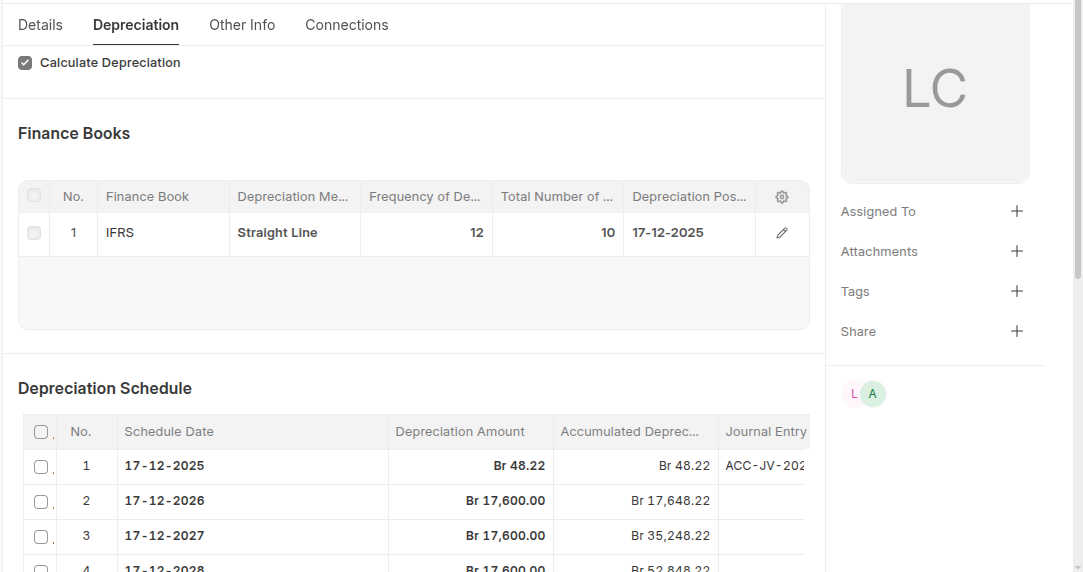
- On Depreciation section: enable calculate deprecation then fill finance book table. when asset saved depreciation schedule will be created automatically
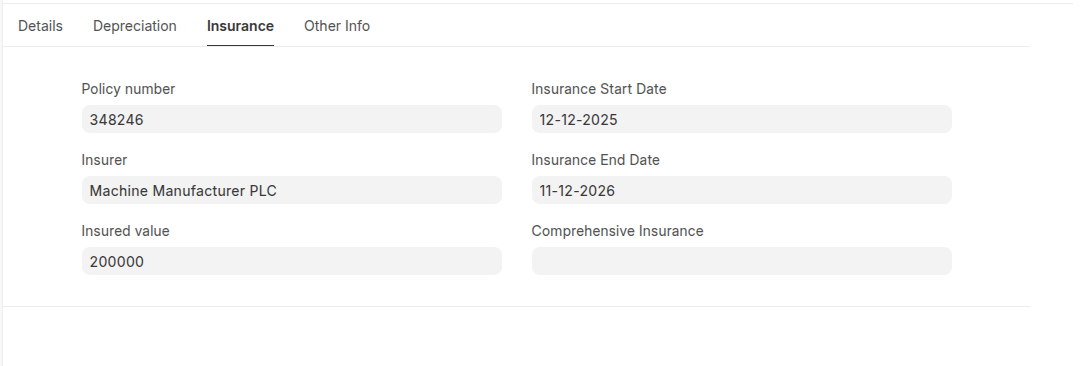
- You can recored insurance detail under insurance section.
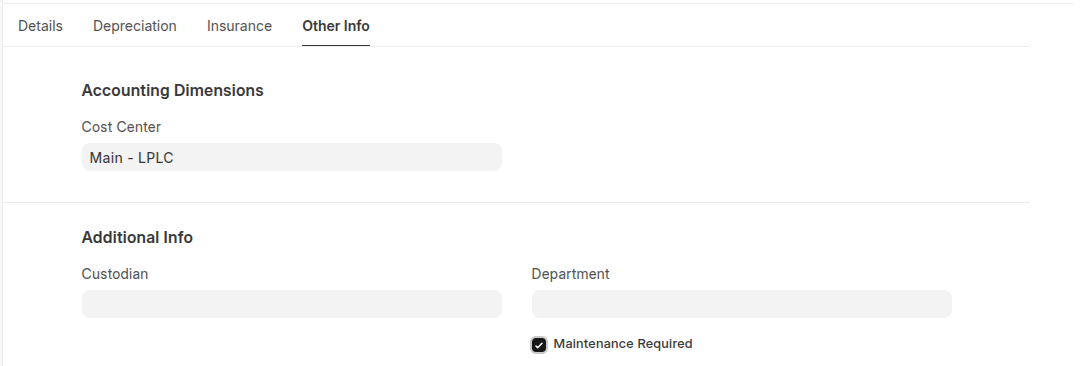
- Under Other info section set cost center and enable maintenance required if applicable
- Click Save and submit
Note:
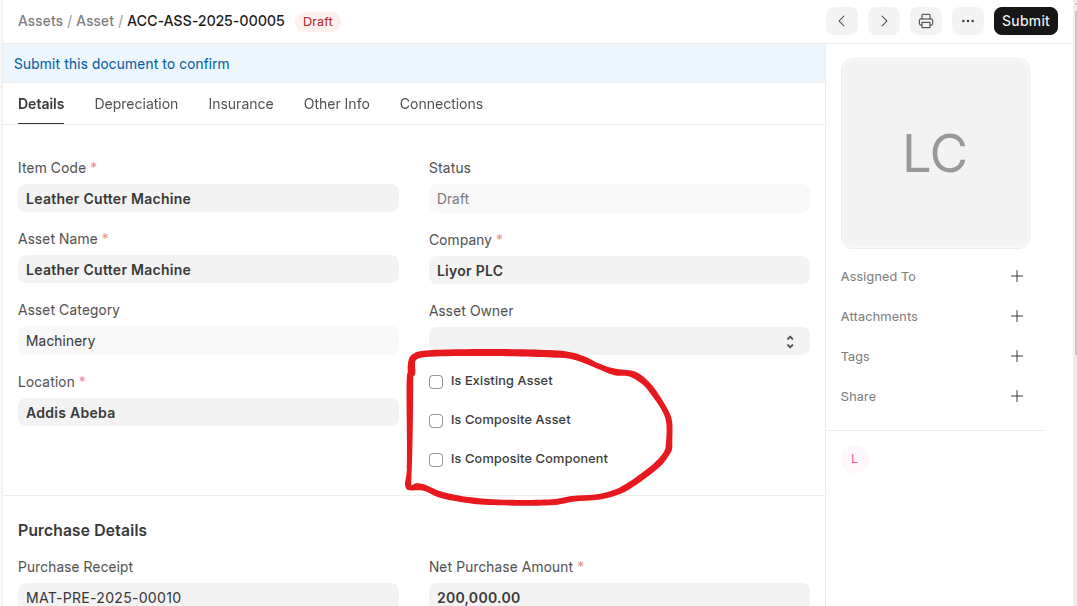
- IF an asset made from multiple different items you can create a composite WIP asset by checking the Is Composite Asset checkbox.
- If an asset is Existing Asset enable Is Existing Asset
- If an asset is Is Composite Component which used for capitalaize composit asset enable Is Composite Component
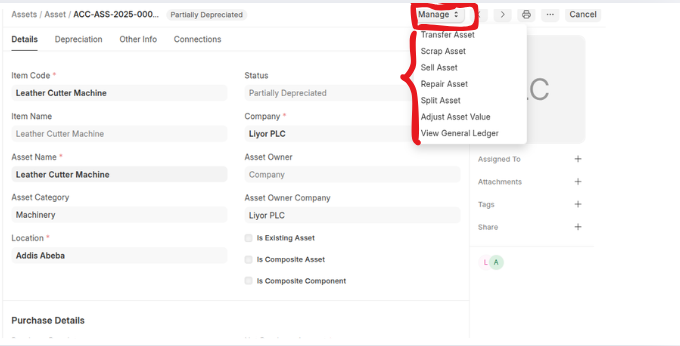
 Once you Submitted an Asset you can manage Asset using Manage button.
Last updated 6 months ago
Was this helpful?