Asset Capitalization
Asset Capitalization allows you to combine stock items and/or existing assets, along with related service costs, into a single composite fixed asset for capitalization and depreciation.
To Access Asset Capitalization:
Login to ERP > Desktop > Assets > Asset Capitalization
Create Asset Capitalization
- Go to Asset Capitalization
- Click Add Asset Capitalization
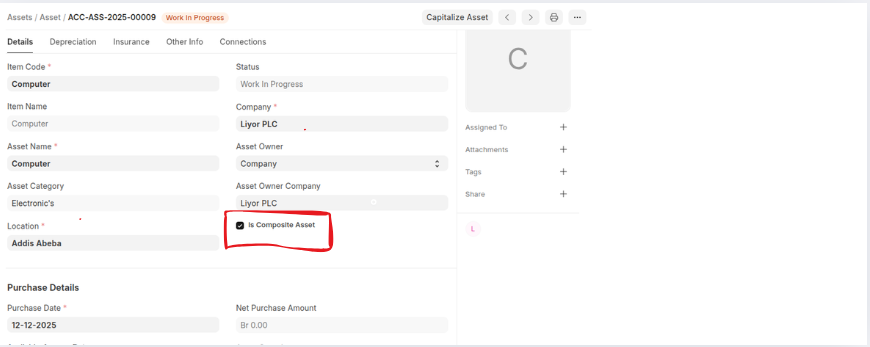
- Select Target Asset which when an asset created is composit asset should be enabled
- Set finance Book
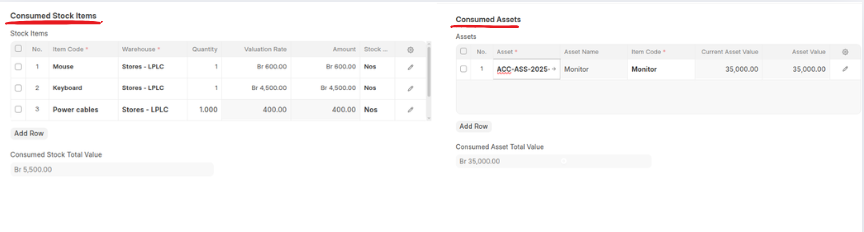
- Enter Consumed Stock Items In the Stock items table
- Enter Consumed Assets in the Asstes table
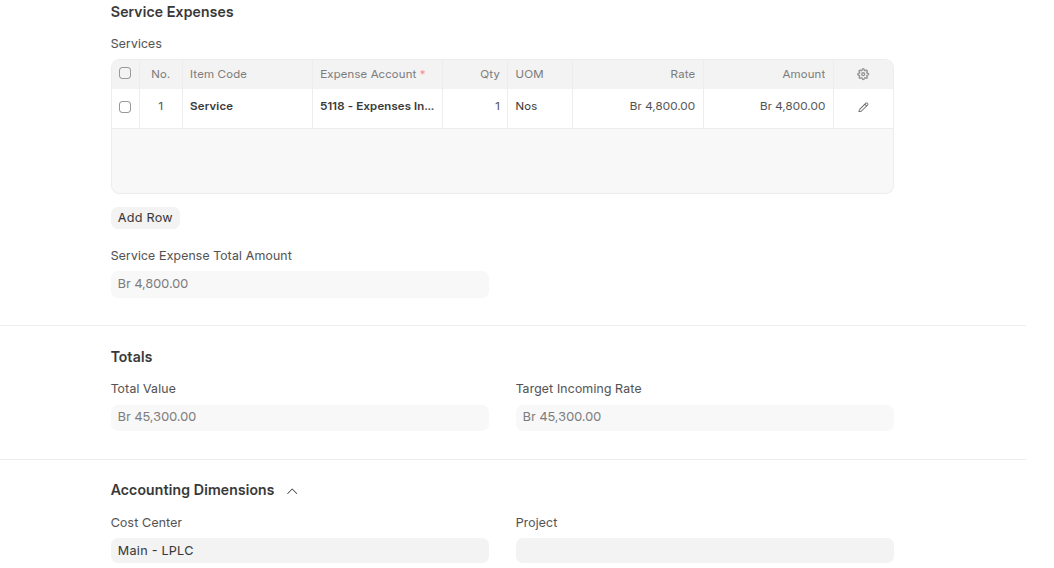
- You can also enter service expense and cost center
- Click Save
Last updated 6 months ago
Was this helpful?