Employee Advance is used when the company provides money to an employee in advance for work-related expenses. The employee records the purpose and amount, which are later approved and paid.
To access Employee Advance, go to:
Login > Desktop > Human Resources > Expense Claims > Employee Advance
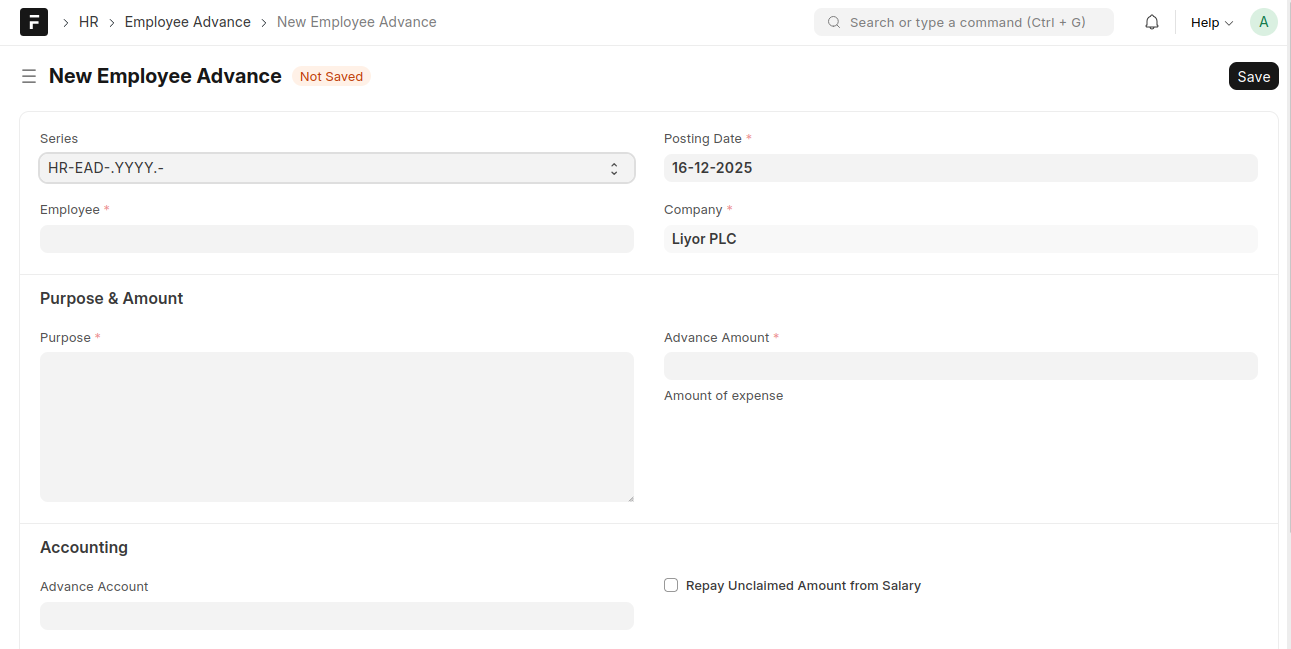
create an Employee Advance
- Go to the Employee Advance list and click Add Employee Advance
- Select the Employee
- Verify the Posting Date and Company
- Enter the Purpose
- Enter the Advance Amount
- Review the Advance Account under Accounting
- Click Save
Last updated 6 months ago
Was this helpful?